



我们将讨论使用开源的大型语言多模态模型(large language multi-modal)构建检索增强生成(rag)系统的方法。我们的重点是在不依赖langchain或lllama index的情况下实现这一目标,以避免增加更多的框架依赖。
☞☞☞AI 智能聊天, 问答助手, AI 智能搜索, 免费无限量使用 DeepSeek R1 模型☜☜☜

什么是RAG
在人工智能领域,检索增强生成(retrieve-augmented generation, RAG)技术的出现为大型语言模型(Large Language Models)带来了变革性的改进。RAG的本质是通过允许模型从外部源动态检索实时信息,从而增强人工智能的响应能力。这一技术的引入使得AI能够更加具体地回应用户需求。通过检索和融合外部源的信息,RAG能够生成更加准确、全面的回答,为用户提供更有价值的内容。这种能力的提升为人工智能的应用领域带来了更广阔的前景,包括智能客服、智能搜索和知识问答系统等。RAG的出现标志着语言模型的进一步发展,为人工智能带来了
该体系结构将动态检索过程与生成能力无缝结合,使得人工智能能够适应各个领域中不断变化的信息。与微调和再训练不同,RAG提供了一种经济高效的解决方案,允许人工智能在不改变整个模型的情况下获取最新和相关的信息。这种能力的结合使得RAG在应对变化快速的信息环境中具有优势。
RAG的作用
1、提高准确性和可靠性:
通过将大型语言模型(LLM)定向到可靠的知识来源,解决了其不可预测性的问题,降低了提供虚假或过时信息的风险,使反应更加准确可靠。
2、增加透明度和信任:
像LLM这样的生成式人工智能模型常常缺乏透明度,这导致人们难以相信其输出。RAG通过提供更大的控制权,解决了偏差、可靠性和遵从性方面的担忧。
3、减轻幻觉:
LLM容易产生幻觉反应——提供连贯但不准确或捏造的信息。而RAG则通过依靠权威来源确保响应,降低了关键部门误导性建议的风险。
4、具有成本效益的适应性:
RAG提供了一种经济有效的方法来提高AI输出,而不需要广泛的再训练/微调。可以通过根据需要动态获取特定细节来保持最新和相关的信息,确保人工智能对不断变化的信息的适应性。
多模式模态模型
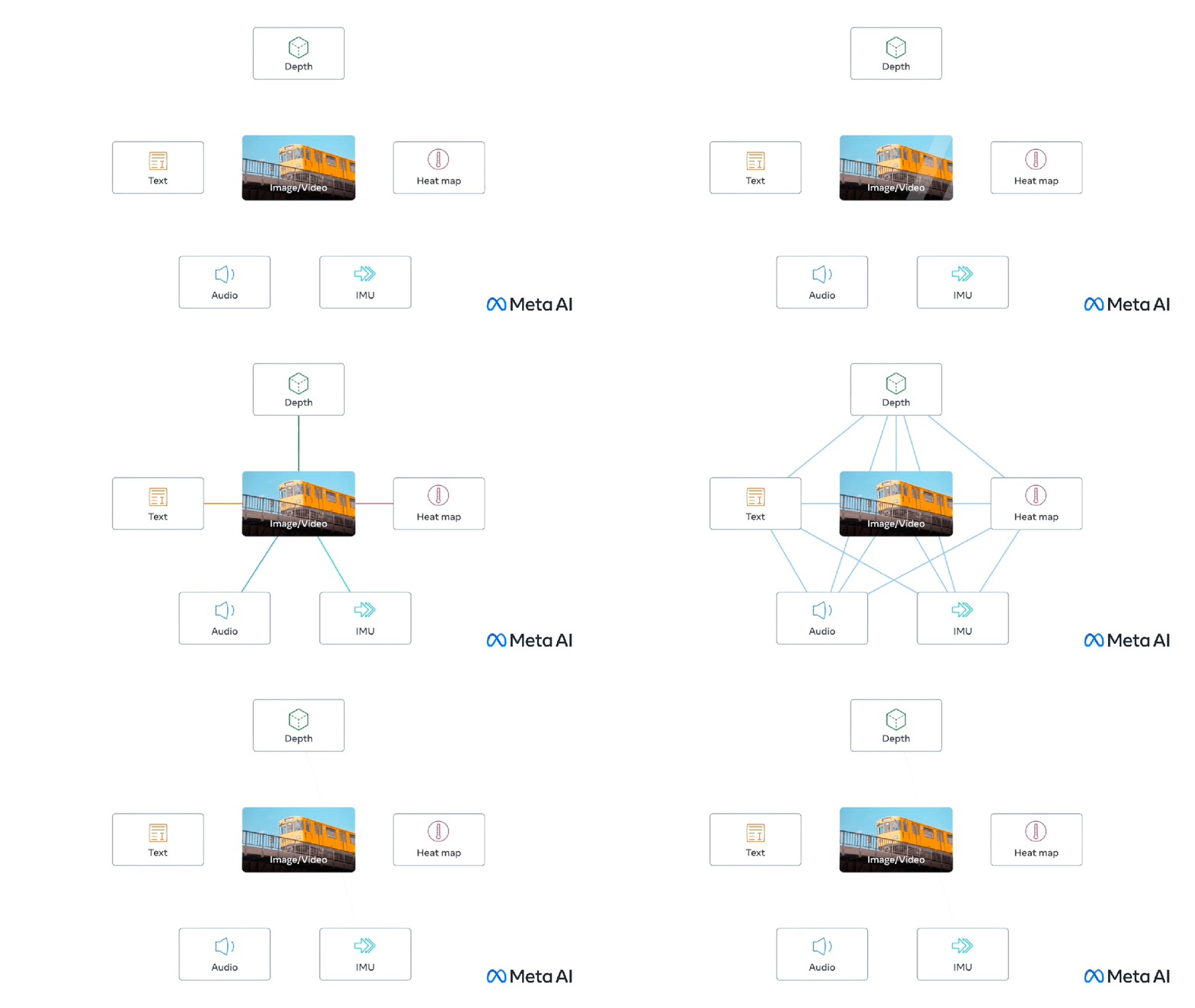
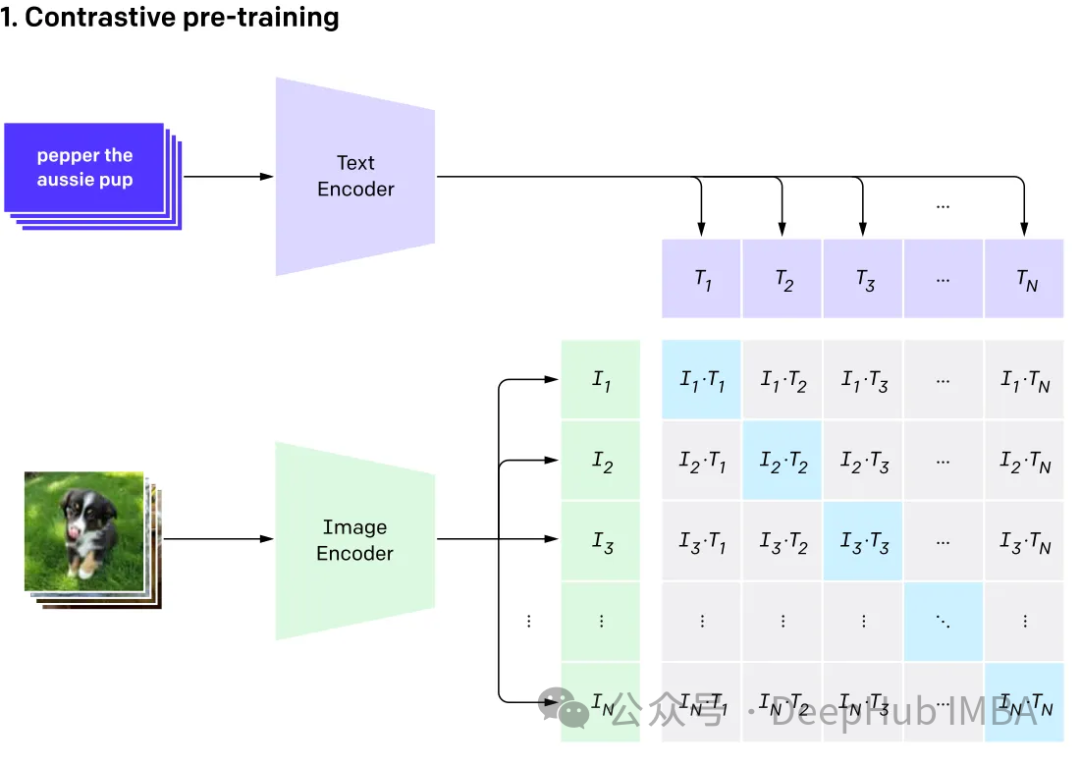
多模态涉及有多个输入,并将其结合成单个输出,以CLIP为例:CLIP的训练数据是文本-图像对,通过对比学习,模型能够学习到文本-图像对的匹配关系。
该模型为表示相同事物的不同输入生成相同(非常相似)的嵌入向量。
多模
态大型语言(multi-modal large language)
GPT4v和Gemini vision就是探索集成了各种数据类型(包括图像、文本、语言、音频等)的多模态语言模型(MLLM)。虽然像GPT-3、BERT和RoBERTa这样的大型语言模型(llm)在基于文本的任务中表现出色,但它们在理解和处理其他数据类型方面面临挑战。为了解决这一限制,多模态模型结合了不同的模态,从而能够更全面地理解不同的数据。
多模态大语言模型它超越了传统的基于文本的方法。以GPT-4为例,这些模型可以无缝地处理各种数据类型,包括图像和文本,从而更全面地理解信息。
与RAG相结合
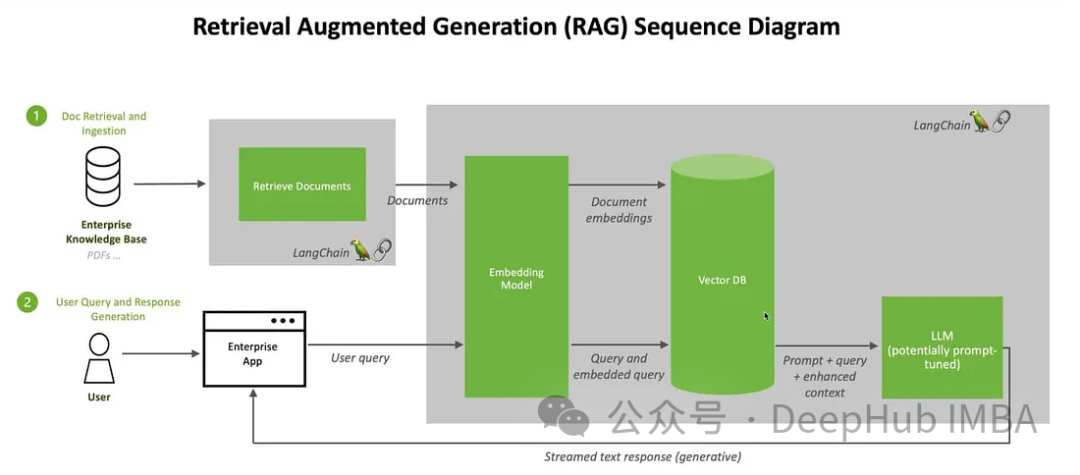
这里我们将使用Clip嵌入图像和文本,将这些嵌入存储在ChromDB矢量数据库中。然后将利用大模型根据检索到的信息参与用户聊天会话。
我们将使用来自Kaggle的图片和维基百科的信息来创建一个花卉专家聊天机器人
首先我们安装软件包:
! pip install -q timm einops wikipedia chromadb open_clip_torch !pip install -q transformers==4.36.0 !pip install -q bitsandbytes==0.41.3 accelerate==0.25.0
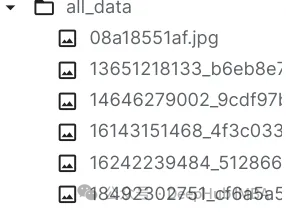
预处理数据的步骤很简单只是把图像和文本放在一个文件夹里
可以随意使用任何矢量数据库,这里我们使用ChromaDB。

采用 php+mysql 数据库方式运行的强大网上商店系统,执行效率高速度快,支持多语言,模板和代码分离,轻松创建属于自己的个性化用户界面 v3.5更新: 1).进一步静态化了活动商品. 2).提供了一些重要UFT-8转换文件 3).修复了除了网银在线支付其它支付显示错误的问题. 4).修改了LOGO广告管理,增加LOGO链接后主页LOGO路径错误的问题 5).修改了公告无法发布的问题,可能是打压
import chromadb from chromadb.utils.embedding_functions import OpenCLIPEmbeddingFunction from chromadb.utils.data_loaders import ImageLoader from chromadb.config import Settings client = chromadb.PersistentClient(path="DB") embedding_function = OpenCLIPEmbeddingFunction() image_loader = ImageLoader() # must be if you reads from URIs
ChromaDB需要自定义嵌入函数
from chromadb import Documents, EmbeddingFunction, Embeddings class MyEmbeddingFunction(EmbeddingFunction):def __call__(self, input: Documents) -> Embeddings:# embed the documents somehow or imagesreturn embeddings
这里将创建2个集合,一个用于文本,另一个用于图像
collection_images = client.create_collection(name='multimodal_collection_images', embedding_functinotallow=embedding_function, data_loader=image_loader) collection_text = client.create_collection(name='multimodal_collection_text', embedding_functinotallow=embedding_function, ) # Get the Images IMAGE_FOLDER = '/kaggle/working/all_data' image_uris = sorted([os.path.join(IMAGE_FOLDER, image_name) for image_name in os.listdir(IMAGE_FOLDER) if not image_name.endswith('.txt')]) ids = [str(i) for i in range(len(image_uris))] collection_images.add(ids=ids, uris=image_uris) #now we have the images collection对于Clip,我们可以像这样使用文本检索图像
from matplotlib import pyplot as plt retrieved = collection_images.query(query_texts=["tulip"], include=['data'], n_results=3) for img in retrieved['data'][0]:plt.imshow(img)plt.axis("off")plt.show()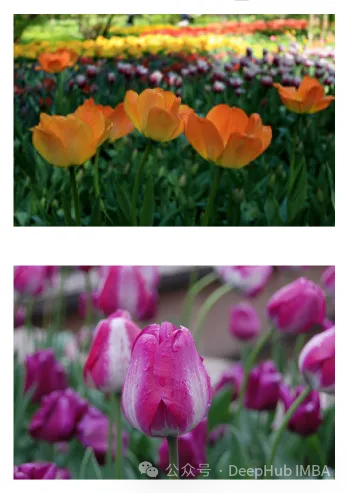
也可以使用图像检索相关的图像
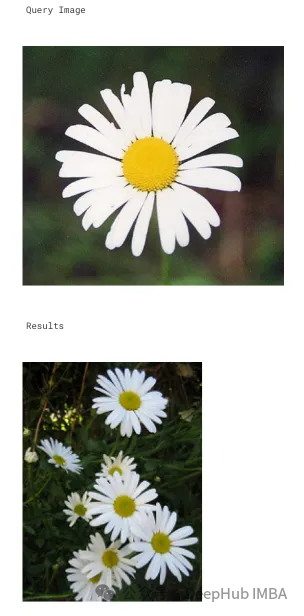
文本集合如下所示
# now the text DB from chromadb.utils import embedding_functions default_ef = embedding_functions.DefaultEmbeddingFunction() text_pth = sorted([os.path.join(IMAGE_FOLDER, image_name) for image_name in os.listdir(IMAGE_FOLDER) if image_name.endswith('.txt')]) list_of_text = [] for text in text_pth:with open(text, 'r') as f:text = f.read()list_of_text.append(text) ids_txt_list = ['id'+str(i) for i in range(len(list_of_text))] ids_txt_list collection_text.add(documents = list_of_text,ids =ids_txt_list )然后使用上面的文本集合获取嵌入
results = collection_text.query(query_texts=["What is the bellflower?"],n_results=1 ) results
结果如下:
{'ids': [['id0']],'distances': [[0.6072186183744086]],'metadatas': [[None]],'embeddings': None,'documents': [['Campanula () is the type genus of the Campanulaceae family of flowering plants. Campanula are commonly known as bellflowers and take both their common and scientific names from the bell-shaped flowers—campanula is Latin for "little bell".\nThe genus includes over 500 species and several subspecies, distributed across the temperate and subtropical regions of the Northern Hemisphere, with centers of diversity in the Mediterranean region, Balkans, Caucasus and mountains of western Asia. The range also extends into mountains in tropical regions of Asia and Africa.\nThe species include annual, biennial and perennial plants, and vary in habit from dwarf arctic and alpine species under 5 cm high, to large temperate grassland and woodland species growing to 2 metres (6 ft 7 in) tall.']],'uris': None,'data': None}或使用图片获取文本
query_image = '/kaggle/input/flowers/flowers/rose/00f6e89a2f949f8165d5222955a5a37d.jpg' raw_image = Image.open(query_image) doc = collection_text.query(query_embeddings=embedding_function(query_image), n_results=1, )['documents'][0][0]
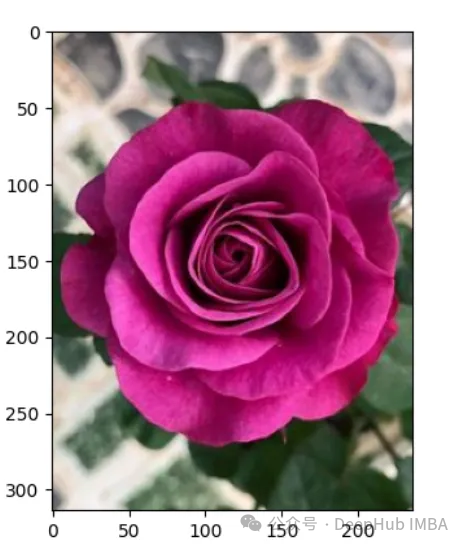
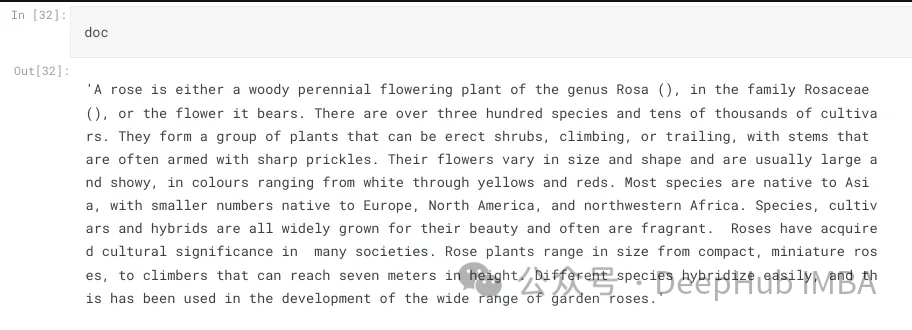
上图的结果如下:
A rose is either a woody perennial flowering plant of the genus Rosa (), in the family Rosaceae (), or the flower it bears. There are over three hundred species and tens of thousands of cultivars. They form a group of plants that can be erect shrubs, climbing, or trailing, with stems that are often armed with sharp prickles. Their flowers vary in size and shape and are usually large and showy, in colours ranging from white through yellows and reds. Most species are native to Asia, with smaller numbers native to Europe, North America, and northwestern Africa. Species, cultivars and hybrids are all widely grown for their beauty and often are fragrant. Roses have acquired cultural significance in many societies. Rose plants range in size from compact, miniature roses, to climbers that can reach seven meters in height. Different species hybridize easily, and this has been used in the development of the wide range of garden roses.
这样我们就完成了文本和图像的匹配工作,其实这里都是CLIP的工作,下面我们开始加入LLM。
from huggingface_hub import hf_hub_download hf_hub_download(repo_, filename="configuration_llava.py", local_dir="./", force_download=True) hf_hub_download(repo_, filename="configuration_phi.py", local_dir="./", force_download=True) hf_hub_download(repo_, filename="modeling_llava.py", local_dir="./", force_download=True) hf_hub_download(repo_, filename="modeling_phi.py", local_dir="./", force_download=True) hf_hub_download(repo_, filename="processing_llava.py", local_dir="./", force_download=True)
我们是用visheratin/LLaVA-3b
from modeling_llava import LlavaForConditionalGeneration import torch model = LlavaForConditionalGeneration.from_pretrained("visheratin/LLaVA-3b") model = model.to("cuda")加载tokenizer
from transformers import AutoTokenizer tokenizer = AutoTokenizer.from_pretrained("visheratin/LLaVA-3b")然后定义处理器,方便我们以后调用
from processing_llava import LlavaProcessor, OpenCLIPImageProcessor image_processor = OpenCLIPImageProcessor(model.config.preprocess_config) processor = LlavaProcessor(image_processor, tokenizer)
下面就可以直接使用了
question = 'Answer with organized answers: What type of rose is in the picture? Mention some of its characteristics and how to take care of it ?' query_image = '/kaggle/input/flowers/flowers/rose/00f6e89a2f949f8165d5222955a5a37d.jpg' raw_image = Image.open(query_image) doc = collection_text.query(query_embeddings=embedding_function(query_image), n_results=1, )['documents'][0][0] plt.imshow(raw_image) plt.show() imgs = collection_images.query(query_uris=query_image, include=['data'], n_results=3) for img in imgs['data'][0][1:]:plt.imshow(img)plt.axis("off")plt.show()得到的结果如下:
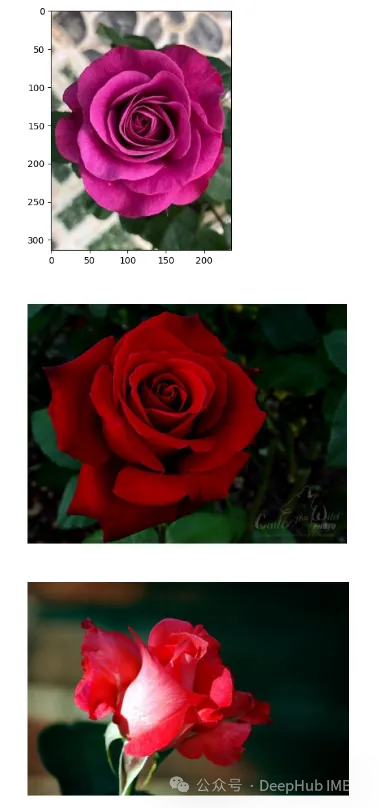
结果还包含了我们需要的大部分信息
这样我们整合就完成了,最后就是创建聊天模板,
prompt = """<|im_start|>system A chat between a curious human and an artificial intelligence assistant. The assistant is an exprt in flowers , and gives helpful, detailed, and polite answers to the human's questions. The assistant does not hallucinate and pays very close attention to the details.<|im_end|> <|im_start|>user{question} Use the following article as an answer source. Do not write outside its scope unless you find your answer better {article} if you thin your answer is better add it after document.<|im_end|> <|im_start|>assistant """.format(questinotallow='question', article=doc)
如何创建聊天过程我们这里就不详细介绍了,完整代码在这里:




