
pgm 是便携式灰度地图。如果我们想在 c 中将二维数组存储为 png、jpeg 或任何其他图像格式的图像,则在写入文件之前,我们必须做大量工作以某种指定的格式对数据进行编码。
Netpbm 格式提供了一种简单且便携的解决方案。 Netpbm是一个开源的图形程序包,基本上使用在linux或Unix平台上。它也可以在 Microsoft Windows 系统下运行。
每个文件都以两个字节的幻数开头。这个幻数用于识别文件的类型。类型有 PBM、PGM、PPM 等。它还标识编码(ASCII 或二进制)。幻数是大写的 P 后跟一个数字。
ASCII 编码允许人类可读并轻松传输到其他平台;二进制格式在文件大小方面更有效,但可能存在本机字节顺序问题。
如何编写 PGM 文件?

一个用C#开的网站购物交易系统,带源码仅供学习参考,应用了WebCalendar控件。后台登陆帐号和密码分别为:admin admin WebCalendar控件是一个ASP.Net Web应用程序的日期控件,您可以通过设置控制控件中不同部分的样式的属性,来自定义 WebCalendar 控件的外观和图片;支持手动输入日期,支持输入时间,不会被TextBox,DropDownList遮挡。并且她是
 0
0

#include <stdio.h>
main() {
   int i, j;
   int w = 13, h = 13;
   // This 2D array will be converted into an image The size is 13 x 13
   int image[13][13] = {
      { 15, 15, 15, 15, 15, 15, 15, 15, 15, 15, 15, 15, 15 },
      { 31, 31, 31, 31, 31, 31, 31, 31, 31, 31, 31, 31, 31},
      { 47, 47, 47, 47, 47, 47, 47, 47, 47, 47, 47, 47, 47},
      { 63, 63, 63, 63, 63, 63, 63, 63, 63, 63, 63, 63, 63},
      { 79, 79, 79, 79, 79, 79, 79, 79, 79, 79, 79, 79, 79},
      { 95, 95, 95, 95, 95, 95, 95, 95, 95, 95, 95, 95, 95 },
      { 111, 111, 111, 111, 111, 111, 111, 111, 111, 111, 111, 111, 111},
      { 127, 127, 127, 127, 127, 127, 127, 127, 127, 127, 127, 127, 127},
      { 143, 143, 143, 143, 143, 143, 143, 143, 143, 143, 143, 143, 143},
      { 159, 159, 159, 159, 159, 159, 159, 159, 159, 159, 159, 159, 159},
      { 175, 175, 175, 175, 175, 175, 175, 175, 175, 175, 175, 175, 175},
      { 191, 191, 191, 191, 191, 191, 191, 191, 191, 191, 191, 191, 191},
      { 207, 207, 207, 207, 207, 207, 207, 207, 207, 207, 207, 207, 207}
   };
   FILE* pgmimg;
   pgmimg = fopen("my_pgmimg.pgm", "wb"); //write the file in binary mode
   fprintf(pgmimg, "P2</p><p>"); // Writing Magic Number to the File
   fprintf(pgmimg, "%d %d</p><p>", w, h); // Writing Width and Height into the
   file
   fprintf(pgmimg, "255</p><p>"); // Writing the maximum gray value
   int count = 0;
   for (i = 0; i < h; i++) {
      for (j = 0; j < w; j++) {
         fprintf(pgmimg, "%d ", image[i][j]); //Copy gray value from
         array to file
      }
      fprintf(pgmimg, "</p><p>");
   }
   fclose(pgmimg);
}PGM 图像如下所示
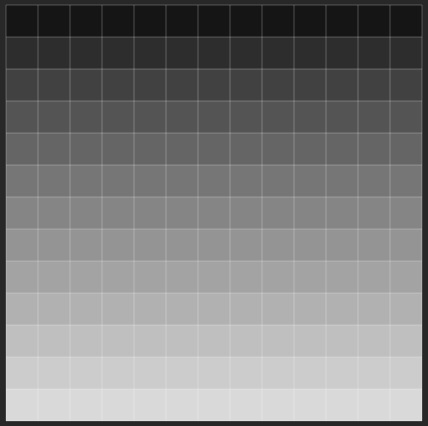
以上就是C程序以PGM格式写入图像的详细内容,更多请关注php中文网其它相关文章!

每个人都需要一台速度更快、更稳定的 PC。随着时间的推移,垃圾文件、旧注册表数据和不必要的后台进程会占用资源并降低性能。幸运的是,许多工具可以让 Windows 保持平稳运行。

 广告
广告Copyright 2014-2025 https://www.php.cn/ All Rights Reserved | php.cn | 湘ICP备2023035733号


 282
282








 收藏
收藏















