

如何使用 Bootstrap 创建模态框?创建一个具有适当 HTML 结构的模态框。包含 Bootstrap 和 jQuery 库以启用模态功能。使用 JavaScript 或 jQuery 代码显示或隐藏模态框。

如何使用 Bootstrap 创建模态框
引言
Bootstrap 提供了一个简单的 API 来创建交互式的模态框,允许你弹出信息、表单或其他内容,而无需重新加载页面。
创建模态框
<div class="modal" id="myModal" tabindex="-1">
  <div class="modal-dialog">
    <div class="modal-content">
      <div class="modal-header">
        <h5 class="modal-title">模态框标题</h5>
        <button type="button" class="btn-close" data-bs-dismiss="modal" aria-label="关闭"></button>
      </div>
      <div class="modal-body">
        模态框内容...
      </div>
      <div class="modal-footer">
        <button type="button" class="btn btn-secondary" data-bs-dismiss="modal">关闭</button>
        <button type="button" class="btn btn-primary">保存</button>
      </div>
    </div>
  </div>
</div>确保你在 HTML 页面中包含 Bootstrap 和 jQuery 库:
<script src="https://cdn.jsdelivr.net/npm/bootstrap@5.2.3/dist/js/bootstrap.bundle.min.js"></script>
<script src="https://code.jquery.com/jquery-3.6.1.min.js"></script>
打开和关闭模态框
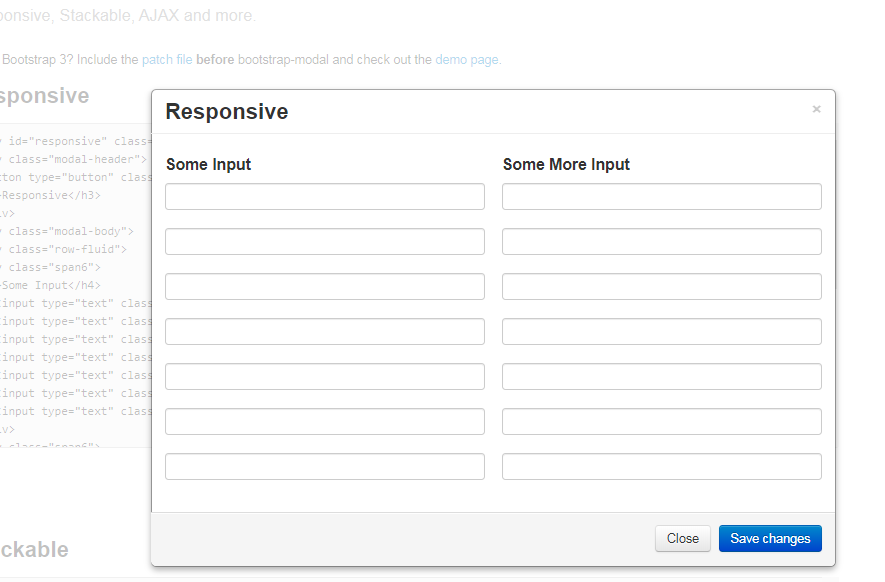
扩展自原生的Bootstrap对话框并提供一些额外的功能。 它引入一个ModalManager类,能够在屏幕后处理多个模态对话框,通过监听他们的事件实现。
 26
26

使用 JavaScript 或 jQuery 代码来显示或隐藏模态框:
显示模态框:
$('#myModal').modal('show');隐藏模态框:
$('#myModal').modal('hide');其他选项
Bootstrap 模态框还提供各种其他选项,如:
以上就是bootstrap模态框怎么做的详细内容,更多请关注php中文网其它相关文章!

每个人都需要一台速度更快、更稳定的 PC。随着时间的推移,垃圾文件、旧注册表数据和不必要的后台进程会占用资源并降低性能。幸运的是,许多工具可以让 Windows 保持平稳运行。

 广告
广告
 收藏
收藏
 收藏
收藏
 收藏
收藏
Copyright 2014-2025 https://www.php.cn/ All Rights Reserved | php.cn | 湘ICP备2023035733号


 588
588





















