



这篇文章主要介绍了图片放大镜jquery.jqzoom.js的使用另附放大镜图标,需要的朋友可以参考下
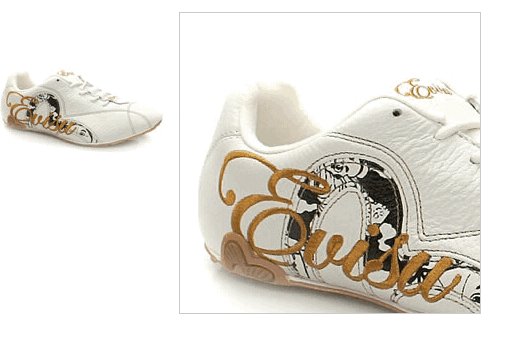
1. jquery.jqzoom.js
//**************************************************************
// jQZoom allows you to realize a small magnifier window,close
// to the image or images on your web page easily.
//
// jqZoom version 2.2
// Author Doc. Ing. Renzi Marco(www.mind-projects.it)
// First Release on Dec 05 2007
// i'm looking for a job,pick me up!!!
// mail: renzi.mrc@gmail.com
//**************************************************************
(function ($) {
$.fn.jqueryzoom = function (options) {
var settings = {
xzoom: 200, //zoomed width default width
yzoom: 200, //zoomed p default width
offset: 10, //zoomed p default offset
position: "right",//zoomed p default position,offset position is to the right of the image
lens: 1, //zooming lens over the image,by default is 1;
preload: 1
};
if (options)
{
$.extend(settings, options);
}
var noalt = '';
$(this).hover(function () {
var imageLeft = $(this).offset().left;
var imageTop = $(this).offset().top;
var imageWidth = $(this).children('img').get(0).offsetWidth;
var imageHeight = $(this).children('img').get(0).offsetHeight;
noalt = $(this).children("img").attr("alt");
var bigimage = $(this).children("img").attr("jqimg");
$(this).children("img").attr("alt", '');
if ($("p.zoomp").get().length == 0)
{
$(this).after(";
$(this).append("
");
}
if (settings.position == "right")
{
if (imageLeft + imageWidth + settings.offset + settings.xzoom > screen.width)
{
leftpos = imageLeft - settings.offset - settings.xzoom;
} else
{
leftpos = imageLeft + imageWidth + settings.offset;
}
} else
{
leftpos = imageLeft - settings.xzoom - settings.offset;
if (leftpos < 0)
{
leftpos = imageLeft + imageWidth + settings.offset;
}
}
$("p.zoomp").css({ top: imageTop, left: leftpos });
$("p.zoomp").width(settings.xzoom);
$("p.zoomp").height(settings.yzoom);
$("p.zoomp").show();
if (!settings.lens)
{
$(this).css('cursor', 'crosshair');
}
$(document.body).mousemove(function (e) {
mouse = new MouseEvent(e);
/*$("p.jqZoomPup").hide();*/
var bigwidth = $(".bigimg").get(0).offsetWidth;
var bigheight = $(".bigimg").get(0).offsetHeight;
var scaley = 'x';
var scalex = 'y';
if (isNaN(scalex) | isNaN(scaley))
{
var scalex = (bigwidth / imageWidth);
var scaley = (bigheight / imageHeight);
$("p.jqZoomPup").width((settings.xzoom) / scalex);
$("p.jqZoomPup").height((settings.yzoom) / scaley);
if (settings.lens)
{
$("p.jqZoomPup").css('visibility', 'visible');
}
}
xpos = mouse.x - $("p.jqZoomPup").width() / 2 - imageLeft;
ypos = mouse.y - $("p.jqZoomPup").height() / 2 - imageTop;
if (settings.lens)
{
xpos = (mouse.x - $("p.jqZoomPup").width() / 2 < imageLeft) ? 0 : (mouse.x + $("p.jqZoomPup").width() / 2 > imageWidth + imageLeft) ? (imageWidth - $("p.jqZoomPup").width() - 2) : xpos;
ypos = (mouse.y - $("p.jqZoomPup").height() / 2 < imageTop) ? 0 : (mouse.y + $("p.jqZoomPup").height() / 2 > imageHeight + imageTop) ? (imageHeight - $("p.jqZoomPup").height() - 2) : ypos;
}
if (settings.lens)
{
$("p.jqZoomPup").css({ top: ypos, left: xpos });
}
scrolly = ypos;
$("p.zoomp").get(0).scrollTop = scrolly * scaley;
scrollx = xpos;
$("p.zoomp").get(0).scrollLeft = (scrollx) * scalex;
});
}, function () {
$(this).children("img").attr("alt", noalt);
$(document.body).unbind("mousemove");
if (settings.lens)
{
$("p.jqZoomPup").remove();
}
$("p.zoomp").remove();
});
count = 0;
if (settings.preload)
{
$('body').append("");
$(this).each(function () {
var imagetopreload = $(this).children("img").attr("jqimg");
var content = jQuery('p.jqPreload' + count + '').html();
jQuery('p.jqPreload' + count + '').html(content + ' ');
});
}
}
})(jQuery);
function MouseEvent(e) {
this.x = e.pageX;
this.y = e.pageY;
}
');
});
}
}
})(jQuery);
function MouseEvent(e) {
this.x = e.pageX;
this.y = e.pageY;
}2. jqzoom.css
/*jQzoom*/
.jqzoom{
border:1px solid #BBB;
float:left;
position:relative;
padding:0px;
cursor:pointer;
}
p.zoomp {
z-index: 999;
position : absolute;
top:0px;
left:0px;
width : 200px;
height : 200px;
background: #ffffff;
border:1px solid #CCCCCC;
display:none;
text-align: center;
overflow: hidden;
}
p.jqZoomPup {
z-index : 999;
visibility : hidden;
position : absolute;
top:0px;
left:0px;
width : 50px;
height : 50px;
border: 1px solid #aaa;
background: #ffffff url(../images/zoomlens.gif) 50% top no-repeat;
opacity: 0.5;
-moz-opacity: 0.5;
-khtml-opacity: 0.5;
filter: alpha(Opacity=50);
}
3. html代码
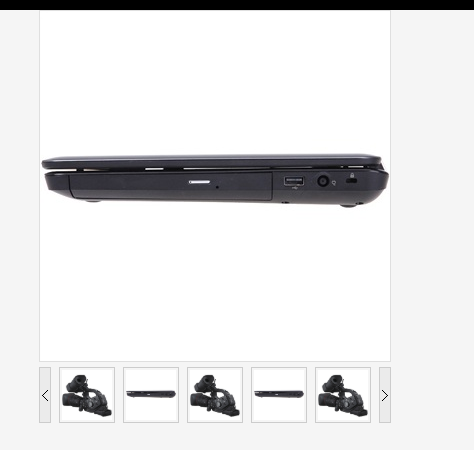
京东产品详细页图片放大效果
下载
京东商城详细页产品图片列表以及放大镜效果 兼容ie6+,谷歌,火狐 京东商城目前详细页正在使用的放大镜插件,效果很简单易用 图片采用绝对路径,这样方便懒人们使用 内容分为大图部分以及缩略图列表部分,可以分开使用

附件:放大镜图标(zoomlens.gif)




