


- - 推送(添加元素):将元素添加到堆栈顶部。
- - pop(删除元素):从顶部删除元素。
- - isfull:检查堆栈是否已达到其限制(在本例中为 10)。
- - isempty:检查堆栈是否为空。
- - 显示:显示堆栈元素。
1.示例:
索引.html
stack | last in first out (lifo) or first in last out | - by sudhanshu gaikwad (filo)
stack in javascript
2.示例:
index2.html
what is stack in javascript | by sudhanshu gaikwad
stack in javascript
输出:
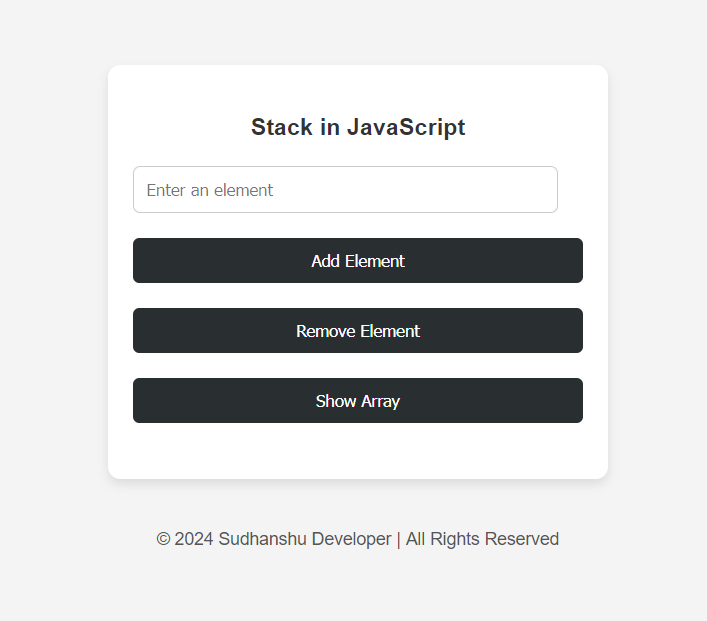
带有用户输入的 c 语言堆栈

我的小书坊源码(三层实现)
下载
可以实现用户的在线注册、登陆后可以添加图书、购买图书,可以对图书类别、出版社、价格等进行饼图分析默认帐号/密码:51aspx/51aspx该系统采用三层接口开发,App_Code下为三层结构的代码文件,适合三层入门者学习使用数据绑定控件使用的是GridView,顶部公用文件采用了UserControl用户控件调用DB_51aspx下为Sql数据库文件,附件即可【该源码由51aspx提供】
#include#include #define max 10 int data[max]; int top = -1; // function to check if the stack is full bool isfull() { return top >= max - 1; } // function to check if the stack is empty bool isempty() { return top == -1; } // function to add an element to the stack (push operation) void addele() { int ele; if (isfull()) { printf("array is full, element can't be added!\n"); } else { printf("enter an element to add: "); scanf("%d", &ele); // read user input data[++top] = ele; // increment top and add element printf("element %d added!\n", ele); } } // function to remove an element from the stack (pop operation) void remove() { if (isempty()) { printf("array is empty, can't remove element!\n"); } else { printf("element %d removed!\n", data[top--]); // remove element and decrement top } } // function to display all elements in the stack void display() { if (isempty()) { printf("array is empty!\n"); } else { printf("updated array >> "); for (int i = 0; i <= top; i++) { printf("%d ", data[i]); } printf("\n"); } } int main() { int choice; do { printf("\n1. add element\n2. remove element\n3. display stack\n4. exit\n"); printf("enter your choice: "); scanf("%d", &choice); // read the user's choice switch (choice) { case 1: addele(); break; case 2: remove(); break; case 3: display(); break; case 4: printf("exiting...\n"); break; default: printf("invalid choice! please select a valid option.\n"); } } while (choice != 4); return 0; }
示例输出:
1. Add Element
2. Remove Element
3. Display Stack
4. Exit
Enter your choice: 1
Enter an element to add: 55
Element 55 Added!

1. Add Element
2. Remove Element
3. Display Stack
4. Exit
Enter your choice: 3
Updated Array >> 55

1. Add Element
2. Remove Element
3. Display Stack
4. Exit
Enter your choice: 4
Exiting...




