



可以显示当前时间,并将此时间定期更新,从而实现实时时钟功能。具体示例如下:获取要显示时间的 DOM 元素。创建一个 JavaScript Date 对象以获取当前时间。格式化时间以使其易于阅读。将格式化的时间更新到 DOM 元素中。使用 setInterval() 函数定期更新时间,以实现实时时钟。

如何使用 JavaScript 显示当前时间
打开 DOM 元素
// 获取要显示时间的 DOM 元素
const timeElement = document.getElementById("time");
创建 Date 对象
// 创建一个 JavaScript Date 对象以获取当前时间
const currentDate = new Date();
格式化时间
// 格式化时间以使其易于阅读
let hours = currentDate.getHours(); // 获取小时
let minutes = currentDate.getMinutes(); // 获取分钟
let seconds = currentDate.getSeconds(); // 获取秒

// 添加前导零以确保两位数
if (hours < 10) {
  hours = "0" + hours;
}
if (minutes < 10) {
  minutes = "0" + minutes;
}
if (seconds < 10) {
  seconds = "0" + seconds;
}

// 创建格式化的字符串
let formattedTime = `${hours}:${minutes}:${seconds}`;
显示时间
// 将格式化的字符串更新到 DOM 元素中
timeElement.textContent = formattedTime;
定期更新时间
为了显示实时时钟,需要定期更新 DOM 元素中的时间。可以使用 setInterval() 函数:
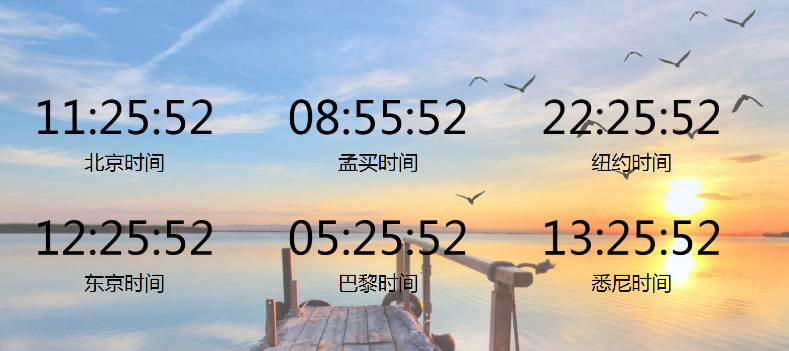
// 每秒更新一次时间
setInterval(() => {
  // 获取当前时间并格式化
  const currentDate = new Date();
  let hours = currentDate.getHours();
  let minutes = currentDate.getMinutes();
  let seconds = currentDate.getSeconds();
  let formattedTime = `${hours}:${minutes}:${seconds}`;

  // 更新 DOM 元素
  timeElement.textContent = formattedTime;
}, 1000); // 每隔 1000 毫秒(1 秒)运行一次 




