


更多>
最新下载

jQuery点击文字滚动Scrollocue插件
jQuery点击文字滚动Scrollocue插件是一款用于构建一个简单的提示提词器系统的jQuery小插件。本作品由【站长素材】收集整理,转载请注明出处!
0
2025-12-19



24小时阅读排行榜
- 1 javascript的Web API是什么_如何与浏览器功能交互?
- 2 c++ std::to_chars和std::from_chars c++高性能数字转换【详解】
- 3 Python如何解析SVG文件并提取路径数据
- 4 html5怎么获取星期_HTML5用JS Date对象getDay()获取当前星期数【获取】
- 5 c++中的统一初始化(Uniform Initialization)有什么坑_c++ {}初始化语法详解【C++11】
- 6 Avalonia怎么在ListBox中实现水平滚动 Avalonia ScrollViewer设置
- 7 在线XML转JSON怎么用 免费XML/JSON互转工具推荐
- 8 C#怎么序列化对象为XML C# XML序列化与反序列化方法
- 9 css菜单项在不同设备上换行混乱怎么办_使用flex-wrap与媒体查询控制排列
- 10 EF Core怎么调用存储过程 EF Core调用存储过程教程
- 11 DOM解析和SAX解析的优缺点是什么
- 12 C# XML解析的终极清单 检查这10项可解决90%的问题
- 13 如何在Golang中处理HTTP错误_使用WriteHeader和自定义响应
- 14 javascript的Map是什么_如何创建键值对集合?
- 15 javascript npm是什么_如何管理和使用第三方包?
更多>
最新教程

-
- Node.js 教程
- 14098 2025-08-28
-
- CSS3 教程
- 1540611 2025-08-27
-
- Rust 教程
- 21799 2025-08-27
-
- Vue 教程
- 24315 2025-08-22
-
- PostgreSQL 教程
- 21032 2025-08-21
-
- Git 教程
- 8291 2025-08-21
CSS3的全屏图片视差滚动切换特效
body { text-align: center; /*background-attachment:fixed;*/ width: 100%; }
#main { width: 100%; margin: auto }
/*.header{
background:#fff;
}*/
.header { width: 100%; height: 1080px; overflow: hidden; position: relative; background: url("a1.png") center center no-repeat; background-attachment: fixed; background-size: cover; }
.header2 { background: url("a3.png") center center no-repeat; background-attachment: fixed; background-size: cover; }
.text { position: absolute; top: 30%; left: 300px; }
.text p { font-size: 30px; font-family: "微软雅黑"; color: #fff; }
.bg-attachment { background: url("a2.png") center center no-repeat; background-attachment: fixed; background-size: cover; }
.bg-attachment .shadow { width: 100%; height: 1080px; overflow: hidden; margin: auto; }
.div2 { background: url("a4.png") center center no-repeat; background-attachment: fixed; background-size: cover; }
</style>


这是一款基于CSS3实现的全屏图片视差滚动切换特效,网页滚动视差切换代码。
<style>
* { padding: 0; margin: 0 }body { text-align: center; /*background-attachment:fixed;*/ width: 100%; }
#main { width: 100%; margin: auto }
/*.header{
background:#fff;
}*/
.header { width: 100%; height: 1080px; overflow: hidden; position: relative; background: url("a1.png") center center no-repeat; background-attachment: fixed; background-size: cover; }
.header2 { background: url("a3.png") center center no-repeat; background-attachment: fixed; background-size: cover; }
.text { position: absolute; top: 30%; left: 300px; }
.text p { font-size: 30px; font-family: "微软雅黑"; color: #fff; }
.bg-attachment { background: url("a2.png") center center no-repeat; background-attachment: fixed; background-size: cover; }
.bg-attachment .shadow { width: 100%; height: 1080px; overflow: hidden; margin: auto; }
.div2 { background: url("a4.png") center center no-repeat; background-attachment: fixed; background-size: cover; }
</style>
本站所有资源都是由网友投搞发布,或转载各大下载站,请自行检测软件的完整性!本站所有资源仅供学习与参考,请勿用于商业用途,否则产生的一切后果将由您自己承担!如有侵权请联系我们删除下架,联系方式:admin@php.cn
相关推荐

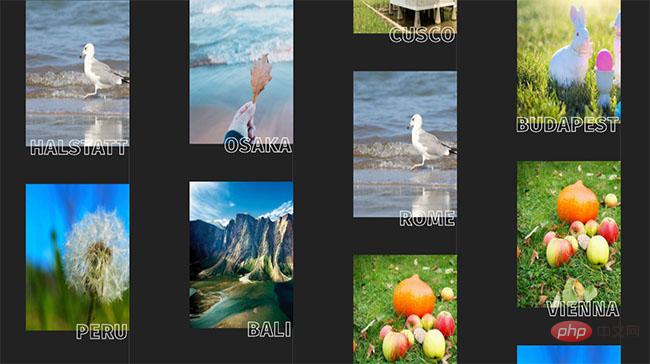
相册上下无缝滚动展示特效
相册上下无缝滚动展示特效是一款基于css3 keyframes属性制作的全屏相册图片单排列表布局上下无缝滚动,悬停图片滑动收缩展开全图预览效果代码。
相册特效
2024-01-31



热门下载




canvas音谱可视化mp3音乐播放器代码
html5 canvas通过AudioContext对获取audio标签播放的音域和音高,调用js绘制相应高度的矩形或线条。
播放器特效
2021-03-10






