

更多>
最新下载

jQuery点击文字滚动Scrollocue插件
jQuery点击文字滚动Scrollocue插件是一款用于构建一个简单的提示提词器系统的jQuery小插件。本作品由【站长素材】收集整理,转载请注明出处!
0
2025-12-19


24小时阅读排行榜
- 1 c++如何使用vcpkg包管理器 安装和管理第三方库【环境配置】
- 2 javascript如何操作iframe_如何安全地进行跨域通信
- 3 Laravel Session怎么存储_Laravel Session驱动配置详解
- 4 什么是XML实体注入攻击 如何防范
- 5 如何在HTML中正确显示汉字_编码设置与兼容处理【教程】
- 6 如何使用Golang配置开发环境变量_设置PATH和环境变量便捷开发
- 7 javascript中的闭包是什么_它有哪些应用场景?
- 8 如何使用Golang image处理图片_读取、写入和修改像素
- 9 css图片轮播动画怎么写_利用animation和位移切换
- 10 PHP怎么处理带有命名空间的XML registerXPathNamespace方法
- 11 Linux系统日志怎么看_messages与journal解析【教学】
- 12 css图片列表在不同屏幕对不齐怎么办_使用弹性布局统一对齐
- 13 mysql索引字段顺序如何选择_mysql索引字段排序方法
- 14 php数组each保存变量_php数组遍历数据存储技巧【教程】
- 15 mysql如何在多用户环境下管理权限_mysql权限管理实践
更多>
最新教程

-
- Node.js 教程
- 14102 2025-08-28
-
- CSS3 教程
- 1540617 2025-08-27
-
- Rust 教程
- 21799 2025-08-27
-
- Vue 教程
- 24317 2025-08-22
-
- PostgreSQL 教程
- 21038 2025-08-21
-
- Git 教程
- 8291 2025-08-21
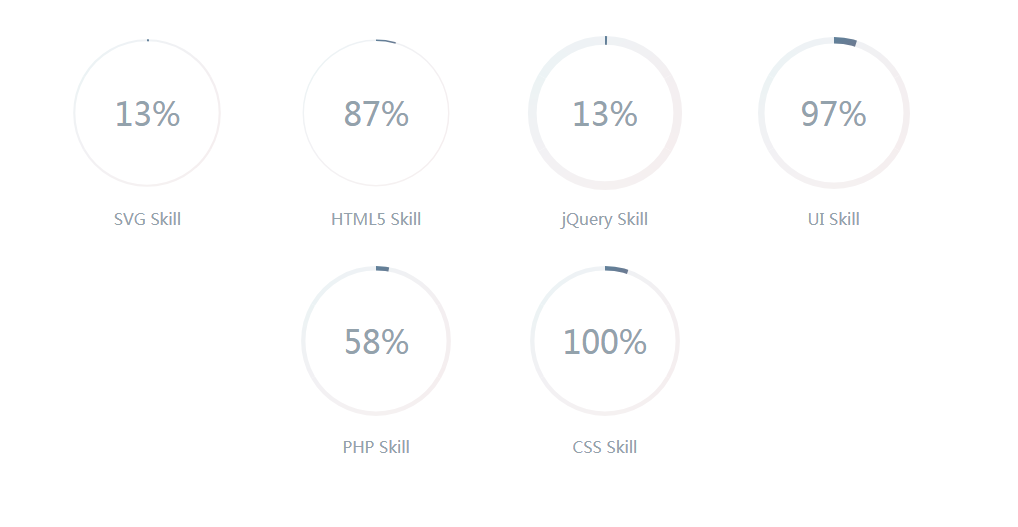
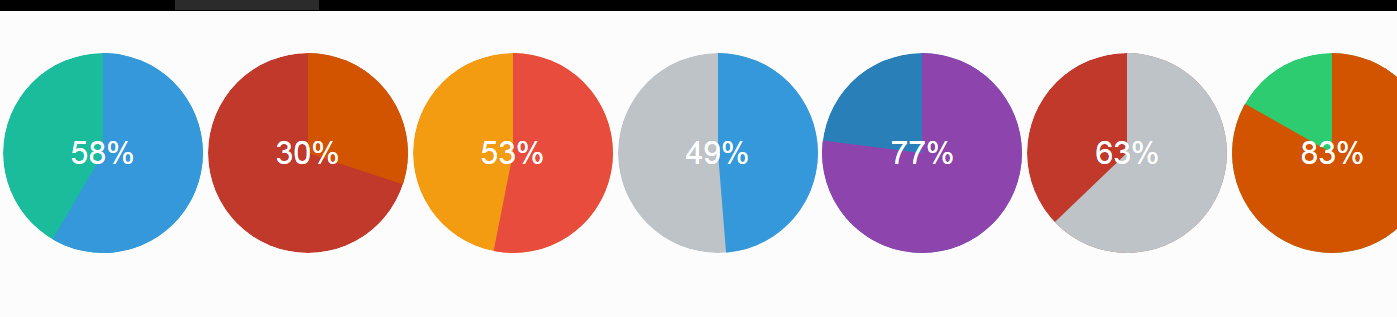
CSS3圆形进度条动画效果


<style>
body{background-color: #fff}
@-webkit-keyframes load {
0% {
stroke-dashoffset: 0;
}
}
@keyframes load {
0% {
stroke-dashoffset: 0;
}
}
.progress {
position: relative;
display: inline-block;
padding: 0;
text-align: center;
}
.progress > li {
display: inline-block;
position: relative;
text-align: center;
color: #93A2AC;
font-family: Lato;
font-weight: 100;
margin: 2rem;
}
.progress > li:before {
content: attr(data-name);
position: absolute;
width: 100%;
bottom: -2rem;
font-weight: 400;
}
.progress > li:after {
content: attr(data-percent);
position: absolute;
width: 100%;
top: 3.7rem;
left: 0;
font-size: 2rem;
text-align: center;
}
.progress svg {
width: 10rem;
height: 10rem;
}
.progress svg:nth-child(2) {
position: absolute;
left: 0;
top: 0;
-webkit-transform: rotate(-90deg);
transform: rotate(-90deg);
}
.progress svg:nth-child(2) path {
fill: none;
stroke-width: 25;
stroke-dasharray: 629;
stroke: #fff;
opacity: .9;
-webkit-animation: load 10s;
animation: load 10s;
}
</style>
body{background-color: #fff}
@-webkit-keyframes load {
0% {
stroke-dashoffset: 0;
}
}
@keyframes load {
0% {
stroke-dashoffset: 0;
}
}
.progress {
position: relative;
display: inline-block;
padding: 0;
text-align: center;
}
.progress > li {
display: inline-block;
position: relative;
text-align: center;
color: #93A2AC;
font-family: Lato;
font-weight: 100;
margin: 2rem;
}
.progress > li:before {
content: attr(data-name);
position: absolute;
width: 100%;
bottom: -2rem;
font-weight: 400;
}
.progress > li:after {
content: attr(data-percent);
position: absolute;
width: 100%;
top: 3.7rem;
left: 0;
font-size: 2rem;
text-align: center;
}
.progress svg {
width: 10rem;
height: 10rem;
}
.progress svg:nth-child(2) {
position: absolute;
left: 0;
top: 0;
-webkit-transform: rotate(-90deg);
transform: rotate(-90deg);
}
.progress svg:nth-child(2) path {
fill: none;
stroke-width: 25;
stroke-dasharray: 629;
stroke: #fff;
opacity: .9;
-webkit-animation: load 10s;
animation: load 10s;
}
</style>
本站所有资源都是由网友投搞发布,或转载各大下载站,请自行检测软件的完整性!本站所有资源仅供学习与参考,请勿用于商业用途,否则产生的一切后果将由您自己承担!如有侵权请联系我们删除下架,联系方式:admin@php.cn
相关推荐


热门下载




canvas音谱可视化mp3音乐播放器代码
html5 canvas通过AudioContext对获取audio标签播放的音域和音高,调用js绘制相应高度的矩形或线条。
播放器特效
2021-03-10






