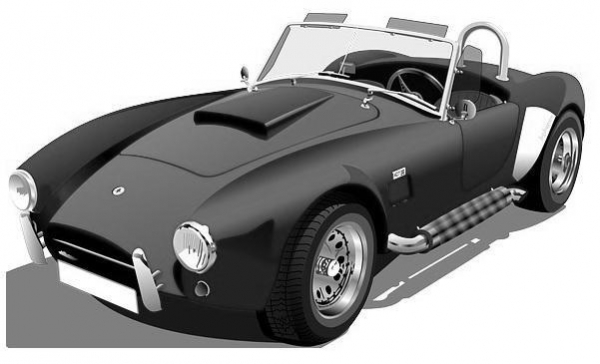
将彩色图像转换为灰度。
获取每个像素的红绿蓝值
获取这 3 种颜色的平均值。
用平均值替换 RGB 值。
-
根据修改后的颜色创建新的像素值。
立即学习“Java免费学习笔记(深入)”;
将新值设置为像素。

示例
import java.io.File;
import java.io.IOException;
import java.awt.Color;
import java.awt.image.BufferedImage;
import javax.imageio.ImageIO;
public class Color2Grey {
   public static void main(String args[])throws IOException {
      //Reading the image
      File file= new File("D:\Images\car.jpg");
      BufferedImage img = ImageIO.read(file);
      for (int y = 0; y < img.getHeight(); y++) {
         for (int x = 0; x < img.getWidth(); x++) {
            //Retrieving the values of a pixel
            int pixel = img.getRGB(x,y);
            //Creating a Color object from pixel value
            Color color = new Color(pixel, true);
            //Retrieving the R G B values
            int red = color.getRed();
            int green = color.getGreen();
            int blue = color.getBlue();
            //Finding the average of the red green blue values
            int average = (red+green+blue)/3;
            //Creating new Color object
            color = new Color(average, average, average);
            //Setting new Color object to the image
            img.setRGB(x, y, color.getRGB());
         }
      }
      //Saving the modified image
      file = new File("D:\Images\grey_image.jpg");
      ImageIO.write(img, "jpg", file);
      System.out.println("Done...");
   }
}
输入
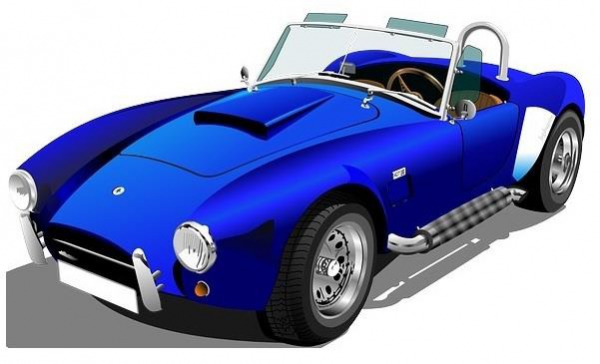
输出