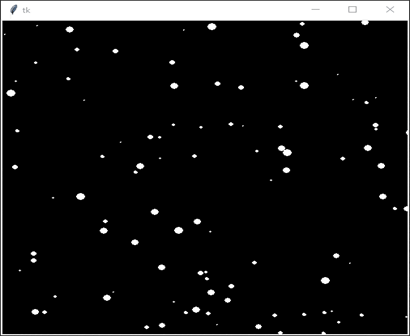
arcade库是一个用于创建2d街机风格视频游戏和模拟的python库。如果你想使用arcade库创建下雪效果,你可以首先创建一个新的arcade窗口,并设置深蓝色背景色来代表夜空。
Using the arcade library in Python
The arcade library is a Python library used for developing 2D games and applications. It provides a simple interface to create interactive graphics and animations. In this article, we'll use the arcade library to create a simple snowfall animation.
To get started, we need to install the arcade library. You can do this by running the following command in your terminal or command prompt −
pip install arcade
Once the installation is completed, we can start writing our code. Here's a simple program that displays snowfall −
import arcade
import random

SCREEN_WIDTH = 800
SCREEN_HEIGHT = 600
SNOWFLAKE_SIZE = 64

class Snowflake:
   def __init__(self):
      self.x = random.randrange(SCREEN_WIDTH)
      self.y = SCREEN_HEIGHT + SNOWFLAKE_SIZE
      self.speed = random.randrange(5, 20)
      self.angle = random.uniform(0, 2 * 3.1415)

   def update(self):
      self.x += self.speed * math.sin(self.angle)
      self.y -= self.speed * math.cos(self.angle)
      if self.y < -SNOWFLAKE_SIZE:
         self.y = SCREEN_HEIGHT + SNOWFLAKE_SIZE
         self.x = random.randrange(SCREEN_WIDTH)

   def draw(self):
      arcade.draw_circle_filled(self.x, self.y, SNOWFLAKE_SIZE, arcade.color.WHITE)

class Snowfall(arcade.Window):
   def __init__(self, width, height):
      super().__init__(width, height, "Snowfall")
      arcade.set_background_color(arcade.color.BLUE_GRAY)
      self.snowflakes = []
      for i in range(100):
         self.snowflakes.append(Snowflake())

   def on_draw(self):
      arcade.start_render()
      for snowflake in self.snowflakes:
         snowflake.draw()

   def on_update(self, delta_time):
      for snowflake in self.snowflakes:
         snowflake.update()

if __name__ == "__main__":
   window = Snowfall(SCREEN_WIDTH, SCREEN_HEIGHT)
   arcade.run()
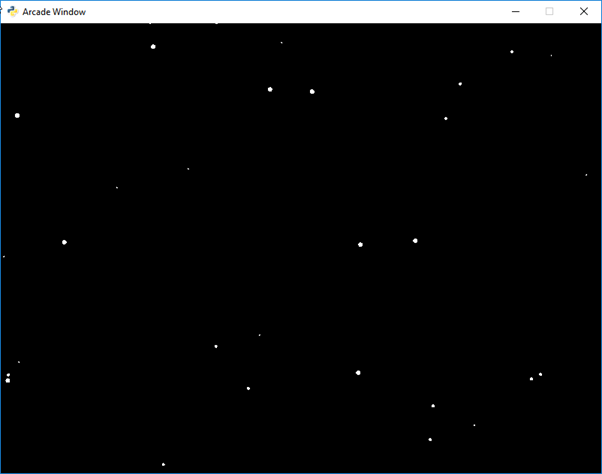
输出
Next, you can create a list of snowflakes, where each snowflake is represented as a tuple of (x, y, size) values. The x and y values represent the snowflake's position on the screen, and the size value represents the snowflake's size.
立即学习“Python免费学习笔记(深入)”;
在游戏循环的每一帧中,您可以通过向每个雪花的y值添加一个小的随机量来更新其位置。您还可以检查雪花是否已经从屏幕底部掉落,如果是,则将其位置重置为屏幕顶部的随机x值。
最后,您可以使用arcade.draw_circle_filled()函数在屏幕上绘制每个雪花,该函数接受(x, y)位置和大小值作为参数。
Let's go over the code step-by-step.

First, we import the arcade library and the random module, which we'll use to generate random values for the snowflakes. We also define some constants: SCREEN_WIDTH and SCREEN_HEIGHT, which define the size of our window, and SNOWFLAKE_SIZE, which defines the size of our snowflakes.
Next, we define a Snowflake class. This class represents a single snowflake. In the constructor, we generate random values for the snowflake's position, speed, and angle. The update() method updates the snowflake's position based on its speed and angle. If the snowflake falls off the bottom of the screen, we reset its position to the top of the screen. The draw() method draws the snowflake on the screen using the arcade.draw_circle_filled() function.
After that, we define a Snowfall class. This class represents our main application window. In the constructor, we set the background color to blue-gray and create a list of 100 snowflakes. In the on_draw() method, we iterate over the list of snowflakes and call each snowflake's draw() method. In the on_update() method, we iterate over the list of snowflakes and call each snowflake's update() method.
最后,我们创建了一个Snowfall类的实例,并调用arcade.run()来启动应用程序。
This code creates a Snowflake class to represent each snowflake, and a SnowfallGame class to manage the game loop and draw the snowflakes on the screen. The on_draw() method is called each frame to draw the snowflakes, and the on_update() method is called each frame to update the position of the snowflakes. The arcade.run() function starts the game loop and keeps the window open until the user closes it.
就是这样!当你运行程序时,你应该会看到一个窗口,屏幕上会飘落雪花。
此外,Python中提供了海龟绘图功能,我们可以使用海龟绘图来实现下面展示的雪花效果。