
在项目目录下建立两个包:inter 与contsfig
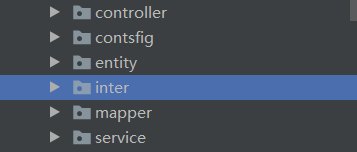
在inter新建层中实现HandlerInterceptor的继承类

package com.example.gameboxadminserver.inter;

import com.example.gameboxadminserver.entity.User;
import org.springframework.web.servlet.HandlerInterceptor;
import org.springframework.web.servlet.ModelAndView;

import javax.servlet.http.HttpServletRequest;
import javax.servlet.http.HttpServletResponse;
import javax.servlet.http.HttpSession;

public class MyInterceptor implements HandlerInterceptor {
	//在preHandle方法中进行登录判断
    @Override
    public boolean preHandle(HttpServletRequest request, HttpServletResponse response, Object handler) throws Exception {
        HttpSession session = request.getSession();
        //session.setAttribute("adminName","o");

        String adminName = (String)session.getAttribute("adminName");//获取储存的session
       //System.out.println(adminName);
        if(adminName==null){
            System.out.println("请先登陆!");
            return false;
        }
        return true;
    }

    @Override
    public void postHandle(HttpServletRequest request, HttpServletResponse response, Object handler, ModelAndView modelAndView) throws Exception {
        //System.out.println("执行了TestInterceptor的postHandle方法");
    }


    @Override
    public void afterCompletion(HttpServletRequest request, HttpServletResponse response, Object handler, Exception ex) throws Exception {

    }
}在conrsfig中新增WebMvcConfiguer的继承类LoginConfig

实现addInterceptors方法
package com.example.gameboxadminserver.contsfig;


import com.example.gameboxadminserver.inter.MyInterceptor;
import org.springframework.context.annotation.Configuration;
import org.springframework.web.servlet.config.annotation.InterceptorRegistration;
import org.springframework.web.servlet.config.annotation.InterceptorRegistry;
import org.springframework.web.servlet.config.annotation.WebMvcConfigurer;

@Configuration
public class LoginConfig implements WebMvcConfigurer {

    @Override
    public void addInterceptors(InterceptorRegistry registry) {
        //注册拦截器
        InterceptorRegistration registration = registry.addInterceptor(new MyInterceptor());
        registration.addPathPatterns("/**");                      //所有路径都被拦截
        registration.excludePathPatterns(
                //添加不拦截路径
                "/admin/adminLogin",

        );
    }
}在serviceImpl层
实现登录逻辑并保存session
Httpsession session
session.setAttribute(“name”,value);
package com.example.gameboxadminserver.service.impl;

import com.example.gameboxadminserver.entity.Admin;
import com.example.gameboxadminserver.entity.Result;
import com.example.gameboxadminserver.entity.ResultUtil;
import com.example.gameboxadminserver.mapper.AdminMapper;
import com.example.gameboxadminserver.service.AdminService;
import com.baomidou.mybatisplus.extension.service.impl.ServiceImpl;
import org.springframework.beans.factory.annotation.Autowired;
import org.springframework.stereotype.Service;

import javax.servlet.http.HttpServletRequest;
import javax.servlet.http.HttpSession;

/**
 * <p>
 *  服务实现类
 * </p>
 *
 * @author firstGroup
 * @since 2020-10-28
 */
@Service
public class AdminServiceImpl extends ServiceImpl<AdminMapper, Admin> implements AdminService {
    @Autowired
    AdminMapper adminMapper;
    @Override
    public Result adminLogin(HttpSession session,String adminName, String adminPwd) {
        Admin admin = adminMapper.adminLogin(adminName,adminPwd);
        if(admin!=null){
            session.setAttribute("adminName",adminName);
            return ResultUtil.success("登陆成功!");
        }
        return ResultUtil.error(2000,"登陆失败");
    }
}这样就写完啦
功能测试
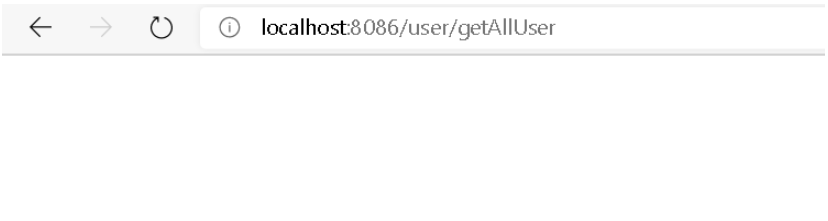
登陆失败

无法访问其他接口
登录成功
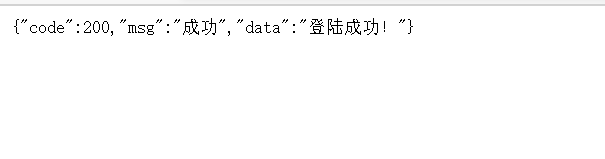
成功访问其他接口
以上就是SpringBoot如何实现登录拦截器的详细内容,更多请关注php中文网其它相关文章!

每个人都需要一台速度更快、更稳定的 PC。随着时间的推移,垃圾文件、旧注册表数据和不必要的后台进程会占用资源并降低性能。幸运的是,许多工具可以让 Windows 保持平稳运行。

Copyright 2014-2025 https://www.php.cn/ All Rights Reserved | php.cn | 湘ICP备2023035733号


 559
559





 收藏
收藏













