



案例:zabbix 配置 nginx 监控
1. 修改配置文件
vim /usr/local/nginx/conf/nginx.conf

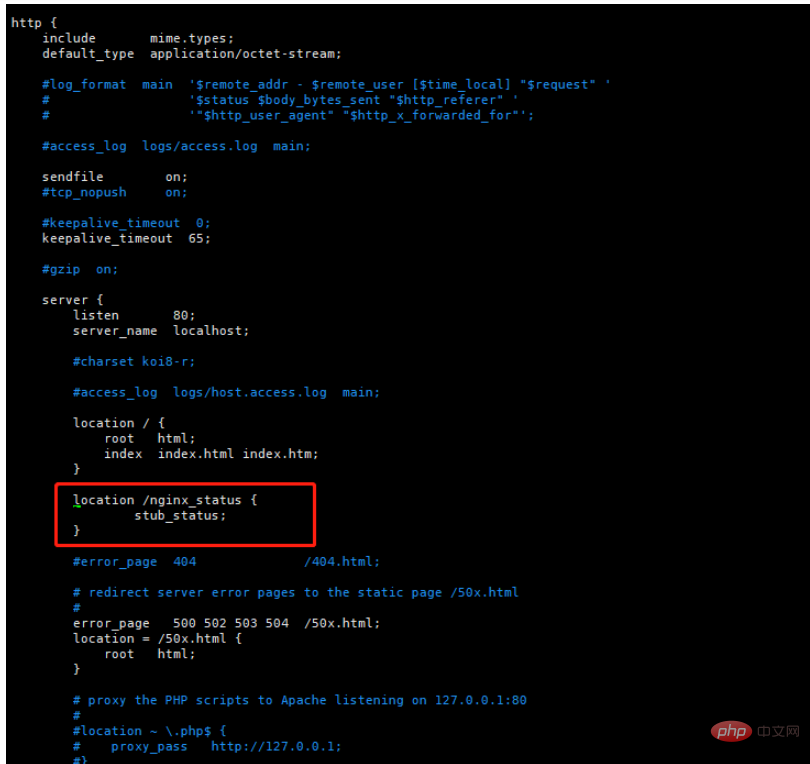
 location /nginx_status {
                stub_status;
        }
说明:
	nginx_status	自定义字段,访问地址(例:192.168.169.131/nginx_status)
	stub_status		固定参数


# 重启 nginx
./nginx reload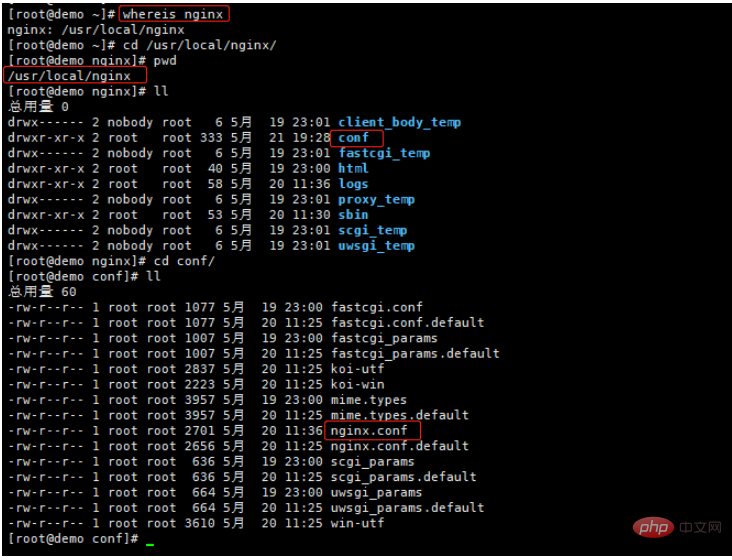
浏览器访问状态说明:
		Active connections  Nginx正处理的活动链接数个数;重要

		server              Nginx启动到现在共处理了多少个连接。

		accepts             Nginx启动到现在共成功创建几次握手。

		handled requests    Nginx总共处理了几次请求。

		Reading             Nginx读取到客户端的 Header 信息数。

		Writing             Nginx返回给客户端的 Header 信息数。

		Waiting             Nginx已经处理完正在等候下一次请求指令的驻留链接,开启。

		Keep-alive的情况下,Waiting这个值等于active-(reading + writing)。

		请求丢失数=(握手数-连接数)可以看出,本次状态显示没有丢失请求

2. 编写 nginx 监控脚本
#/bin/bash
#Description:Automated monitoring nginx performance and process nginx_status scripts

NGINX_PORT=80
NGINX_COMMAND=$1

nginx_ping(){
    /sbin/pidof nginx |wc -l
    }

nginx_active(){
    /usr/bin/curl -s "http://127.0.0.1:"$NGINX_PORT"/nginx_status/" |awk '/Active/ {print $NF}'
    }

nginx_reading(){
    /usr/bin/curl -s "http://127.0.0.1:"$NGINX_PORT"/nginx_status/" |awk '/Reading/ {print $2}'
    }

nginx_writing(){
    /usr/bin/curl -s "http://127.0.0.1:"$NGINX_PORT"/nginx_status/" |awk '/Writing/ {print $4}'
    }

nginx_waiting(){
    /usr/bin/curl -s "http://127.0.0.1:"$NGINX_PORT"/nginx_status/" |awk '/Waiting/ {print $6}'
    }

nginx_accepts(){
    /usr/bin/curl -s "http://127.0.0.1:"$NGINX_PORT"/nginx_status/" |awk 'NR==3 {print $1}'
    }

nginx_handled(){
    /usr/bin/curl -s "http://127.0.0.1:"$NGINX_PORT"/nginx_status/" |awk 'NR==3 {print $2}'
    }

nginx_requests(){
    /usr/bin/curl -s "http://127.0.0.1:"$NGINX_PORT"/nginx_status/" |awk 'NR==3 {print $3}'
    }

case $NGINX_COMMAND in
    ping)
        nginx_ping
        ;;
    active)
        nginx_active
        ;;
    reading)
        nginx_reading
        ;;
    writing)
        nginx_writing
        ;;
    waiting)
        nginx_waiting
        ;;
    accepts)
        nginx_accepts
        ;;
    handled)
        nginx_handled
        ;;
    requests)
        nginx_requests
        ;;
    *)
        echo $"USAGE:$0 {ping|active|reading|writing|waiting|accepts|handled|requests}"
esac
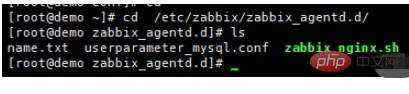
# 修改文件权限 chmod u+x /etc/zabbix/zabbix_agentd.d/zabbix_nginx.sh
3. 修改 zabbix 配置文件
vim /etc/zabbix/zabbix_agentd.d/userparameter_mysql.conf

# 增加
UserParameter=nginx_status[*],/bin/bash /etc/zabbix/zabbix_agentd.d/zabbix_nginx.sh \$1
# 修改完成重启 zabbix-agent
systemctl restart zabbix-agent.service
4. 服务端验证
[root@zabbix ~]# zabbix_get -s 192.168.169.131 -k nginx_status[active]
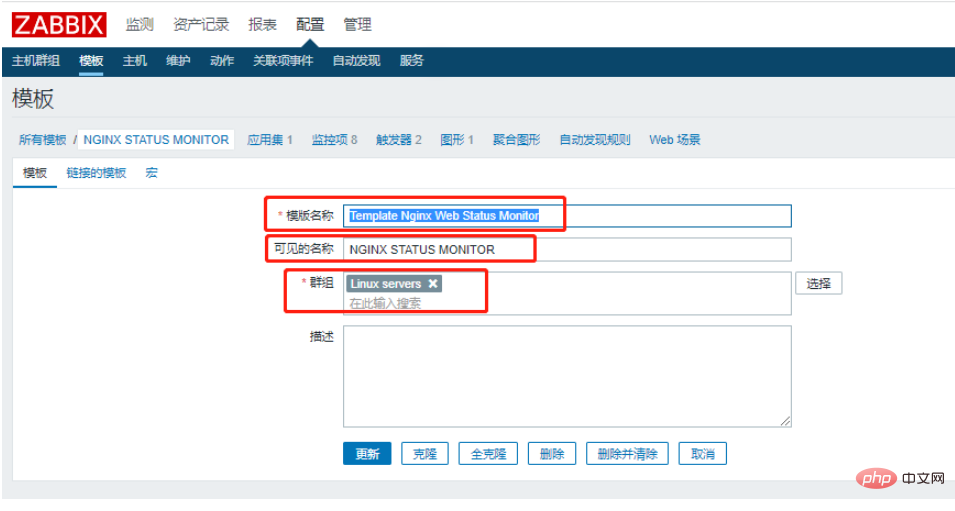
5. 添加模块
模块名称:Template Nginx Web Status Monitor(自定义)
可见名称:NGINX STATUS MONITOR(自定义)
6. 创建应用集
名称:NGINX_STATUS
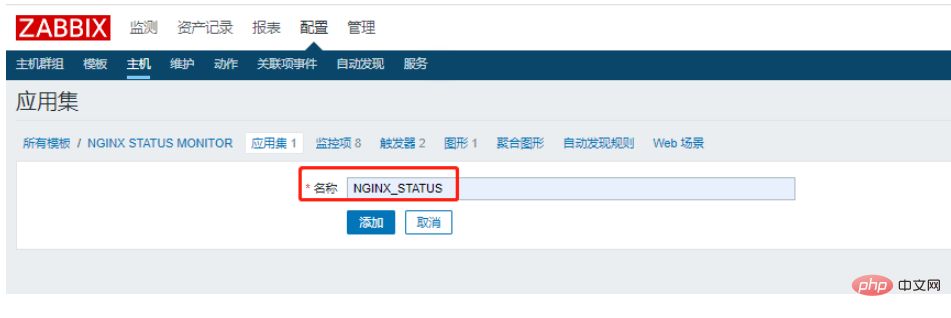
7. 创建监控项
名称:Nginx_Status_Ping
键值:nginx_status[ping]

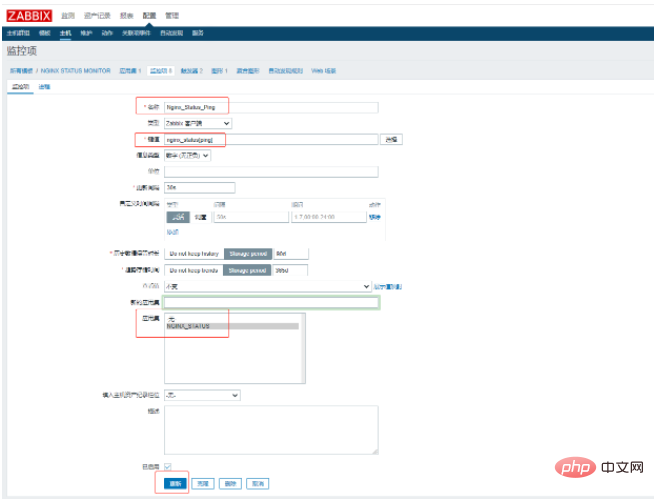
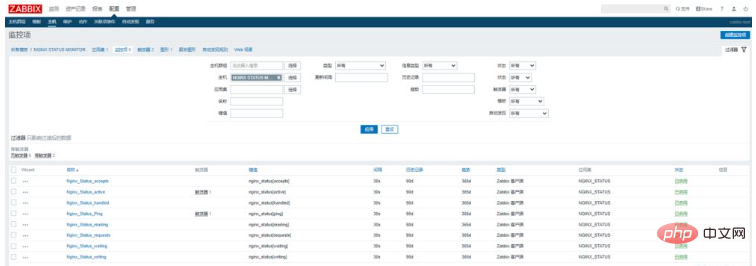
8. 定义触发器
超过50个并发连接就执行报警
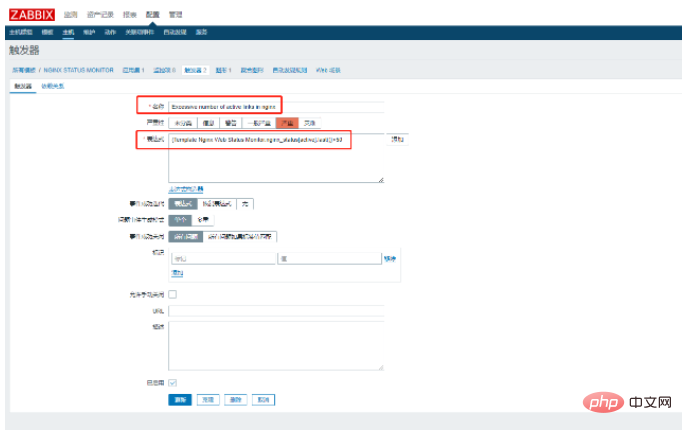
nginx 服务down了执行报警
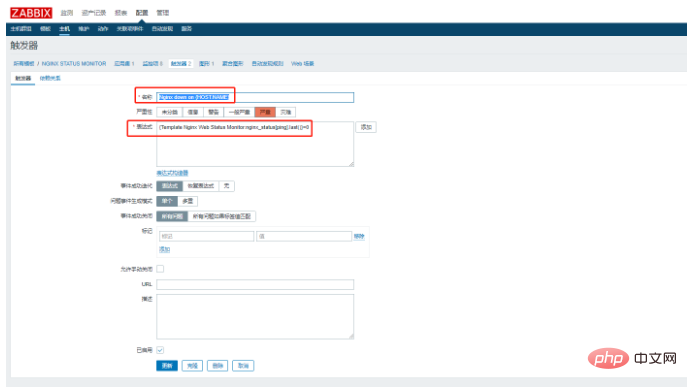
9. 关联主机
将需要监控的主机添加上此模板
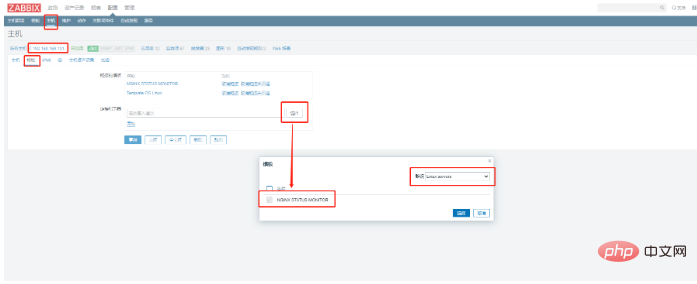
10. nginx 模板文件
zbx_export_templates.xml
4.0 2022-05-21T12:29:43Z Linux servers Template Nginx Web Status Monitor NGINX STATUS MONITOR Linux servers NGINX_STATUS Nginx_Status_accepts 0 nginx_status[accepts] 30s 90d 365d 0 3 0 0 0 0 0 NGINX_STATUS 3s 200 1 0 0 0 0 0 0 0 Nginx_Status_active 0 nginx_status[active] 30s 90d 365d 0 3 0 0 0 0 0 NGINX_STATUS 3s 200 1 0 0 0 0 0 0 0 Nginx_Status_handled 0 nginx_status[handled] 30s 90d 365d 0 3 0 0 0 0 0 NGINX_STATUS 3s 200 1 0 0 0 0 0 0 0 Nginx_Status_Ping 0 nginx_status[ping] 30s 90d 365d 0 3 0 0 0 0 0 NGINX_STATUS 3s 200 1 0 0 0 0 0 0 0 Nginx_Status_reading 0 nginx_status[reading] 30s 90d 365d 0 3 0 0 0 0 0 NGINX_STATUS 3s 200 1 0 0 0 0 0 0 0 Nginx_Status_requests 0 nginx_status[requests] 30s 90d 365d 0 3 0 0 0 0 0 NGINX_STATUS 3s 200 1 0 0 0 0 0 0 0 Nginx_Status_waiting 0 nginx_status[waiting] 30s 90d 365d 0 3 0 0 0 0 0 NGINX_STATUS 3s 200 1 0 0 0 0 0 0 0 Nginx_Status_writing 0 nginx_status[writing] 30s 90d 365d 0 3 0 0 0 0 0 NGINX_STATUS 3s 200 1 0 0 0 0 0 0 0 {Template Nginx Web Status Monitor:nginx_status[active].last()}youjiankuohaophpcn50 0 Excessive number of active links in nginx 0 0 4 0 0 {Template Nginx Web Status Monitor:nginx_status[ping].last()}=0 0 Nginx down on {HOST.NAME} 0 0 4 0 0 Nginx_Status 900 200 0.0000 100.0000 1 1 0 1 0 0.0000 0.0000 0 0 0 0 1 0 1A7C11 0 2 0 Template Nginx Web Status Monitor nginx_status[accepts] 2 0 F63100 0 2 0 Template Nginx Web Status Monitor nginx_status[active] 3 0 2774A4 0 2 0 Template Nginx Web Status Monitor nginx_status[handled] 4 0 A54F10 0 2 0 Template Nginx Web Status Monitor nginx_status[ping] 5 0 FC6EA3 0 2 0 Template Nginx Web Status Monitor nginx_status[reading] 6 0 6C59DC 0 2 0 Template Nginx Web Status Monitor nginx_status[requests] 7 0 AC8C14 0 2 0 Template Nginx Web Status Monitor nginx_status[waiting] 8 0 611F27 0 2 0 Template Nginx Web Status Monitor nginx_status[writing]




