



微信小程序里没有和HTML里的下拉框一样的组件,想要相同的效果只能自己写一个,先看效果
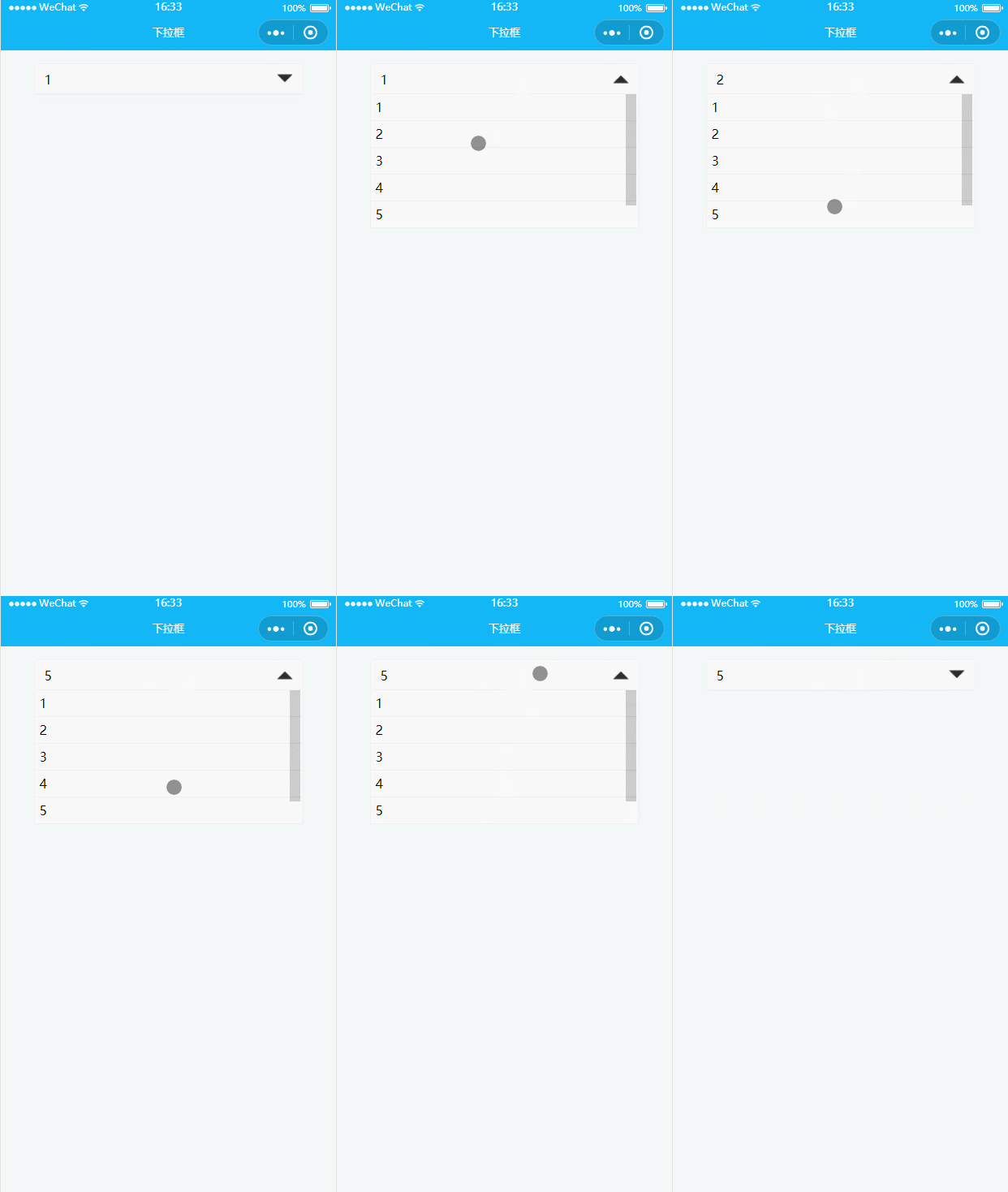
下面来看一下代码:
首先wxml
        {{selectData[index]}}


        {{item}}
然后WXSS(如果不想要动画,删掉wxss里的transition:transform 0.3s;和transition: height 0.3s;即可)
page{
  background: #f3f7f7;
}
.select_box{
  background: #fff;
  width: 80%;
  margin: 30rpx auto;
  position: relative;
}
.select{
  box-sizing: border-box;
  width: 100%;
  height: 70rpx;
  border:1px solid #efefef;
  border-radius: 8rpx;
  display: flex;
  align-items: center;
  padding: 0 20rpx;
}
.select_text{
  font-size: 30rpx;
  flex: 1;
}
.select_img{
  width: 40rpx;
  height: 40rpx;
  display: block;
  transition:transform 0.3s;
}
.select_img_rotate{
  transform:rotate(180deg);
}
.option_box{
  position: absolute;
  top: 70rpx;
  width: 100%;
  border:1px solid #efefef;
  box-sizing: border-box;
  height: 0;
  overflow-y: auto;
  border-top: 0;
  background: #fff;
  transition: height 0.3s;
}
.option{
  display: block;
  line-height: 40rpx;
  font-size: 30rpx;
  border-bottom: 1px solid #efefef;
  padding: 10rpx;
}
这里是JS
Page({

  data: {
    show:false,//控制下拉列表的显示隐藏,false隐藏、true显示
    selectData:['1','2','3','4','5','6'],//下拉列表的数据
    index:0//选择的下拉列表下标
  },
  // 点击下拉显示框
  selectTap(){
    this.setData({
      show: !this.data.show
    });
  },
  // 点击下拉列表
  optionTap(e){
    let Index=e.currentTarget.dataset.index;//获取点击的下拉列表的下标
    this.setData({
      index:Index,
      show:!this.data.show
    });
  },
  onLoad: function (options) {

  }

})
相关推荐:

ERMEB云盘发卡系统源码
下载
ERMEB云盘发卡系统官方正版系统,发卡系统操作简单、方便、易懂。 系统微信小程序前端采用nuiapp后端采用think PHP6PC前端采用vue开发 使用场景:文件上传储存,适合个人/个体/中小企业使用。本系统配合微信小程序端进行使用,文件下载以及发卡商品卡密领取都需要进入小程序内获取下载码以及卡密领取,小程序内可设置积分充值以及任务获取积分,支持微信激励广告领取文件下载码以及卡密商品,可实现





