



这篇文章给大家介绍的内容是关于nginx如何实现跨域访问?nginx跨域访问的实现,有一定的参考价值,有需要的朋友可以参考一下,希望对你有所帮助。
一、什么是跨域
跨域是指从一个域名的网页去请求另一个域名的资源。比如从 www.a.com 页面去请求 www.b.com 的资源。
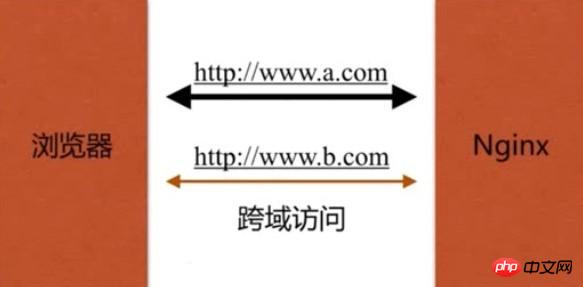
浏览器一般默认会禁止跨域访问。因为不安全,容易出现 CSRF(跨站请求伪造)攻击。
二、Nginx控制浏览器允许跨域访问
Nginx通过添加 Access-Control-Allow-Origin、Access-Control-Allow-Methods、Access-Control-Allow-Headers 等HTTP头信息的方式控制浏览器缓存。
"Access-Control-Allow-Origin" 设置允许发起跨域请求的网站
"Access-Control-Allow-Methods" 设置允许发起跨域请求请求的HTTP方法
"Access-Control-Allow-Headers" 设置允许跨域请求包含 Content-Type头
ngx_http_headers_module
语法
Syntax:    add_header name value [always];
Default:    —
Context:    http, server, location, if in location
应用实例
1. vim conf.d/cross_site.conf
# 配置网站www.a.com
server {
    server_name www.a.com;
    root /vagrant/a;

    # 允许 http://www.b.com 使用 GET,POST,DELETE HTTP方法发起跨域请求
    add_header Access-Control-Allow-Origin http://www.b.com;
    add_header Access-Control-Allow-Method GET,POST,DELETE;
}

# 配置网站www.b.com
server {
    server_name www.b.com;
    root /vagrant/b;
}

# 配置网站www.c.com
server {
    server_name www.c.com;
    root /vagrant/c;
}
2. nginx -s reload 重新载入nginx配置文件
3. 创建 /vagrant/a/a.txt、/vagrant/b/index.html、/vagrant/c/index.html 文件
vim /vagrant/a/a.txt
Hello,I'm a!
/vagrant/b/index.html
Ajax跨站访问b
Ajax跨站访问b -
/vagrant/c/index.html
Ajax跨站访问c
Ajax跨站访问c -
4. 配置客户端的hosts文件(使用真是域名的可以忽略)
windows: C:\Windows\System32\drivers\etc\hosts
linux: /etc/hosts

SOAP、WSDL(WebServicesDescriptionLanguage)、UDDI(UniversalDescriptionDiscovery andIntegration)之一, soap用来描述传递信息的格式, WSDL 用来描述如何访问具体的接口, uddi用来管理,分发,查询webService 。具体实现可以搜索 Web Services简单实例 ; SOAP 可以和现存的许多因特网协议和格式结合使用,包括超文本传输协议(HTTP),简单邮件传输协议(SMTP),多用途网际邮件扩充协议
添加如下内容,并保存(192.168.33.88为笔者虚拟机的IP,需自行替换为自己的IP):
192.168.33.88 www.a.com
192.168.33.88 www.b.com
192.168.33.88 www.c.com
5. 浏览器分别访问 http://www.b.com/index.html 和 http://www.c.com/index.html
http://www.b.com/index.html
Ajax跨站访问b - Hello,I'm a!
http://www.c.com/index.html
Ajax跨站访问c - 请求失败!
打开浏览器的开发者模式Console,还可以发现 http://www.c.com/index.html 的页面出现报错:
Failed to load http://www.a.com/a.txt: The 'Access-Control-Allow-Origin' header has a value 'http://www.b.com' that is not equal to the supplied origin. Origin 'http://www.c.com' is therefore not allowed access.
相关文章推荐:




