



这篇文章主要为大家详细介绍了微信小程序switch组件的实现方法,具有一定的参考价值,感兴趣的小伙伴们可以参考一下
本文实例为大家分享了微信小程序switch组件的实现代码,供大家参考,具体内容如下
效果图
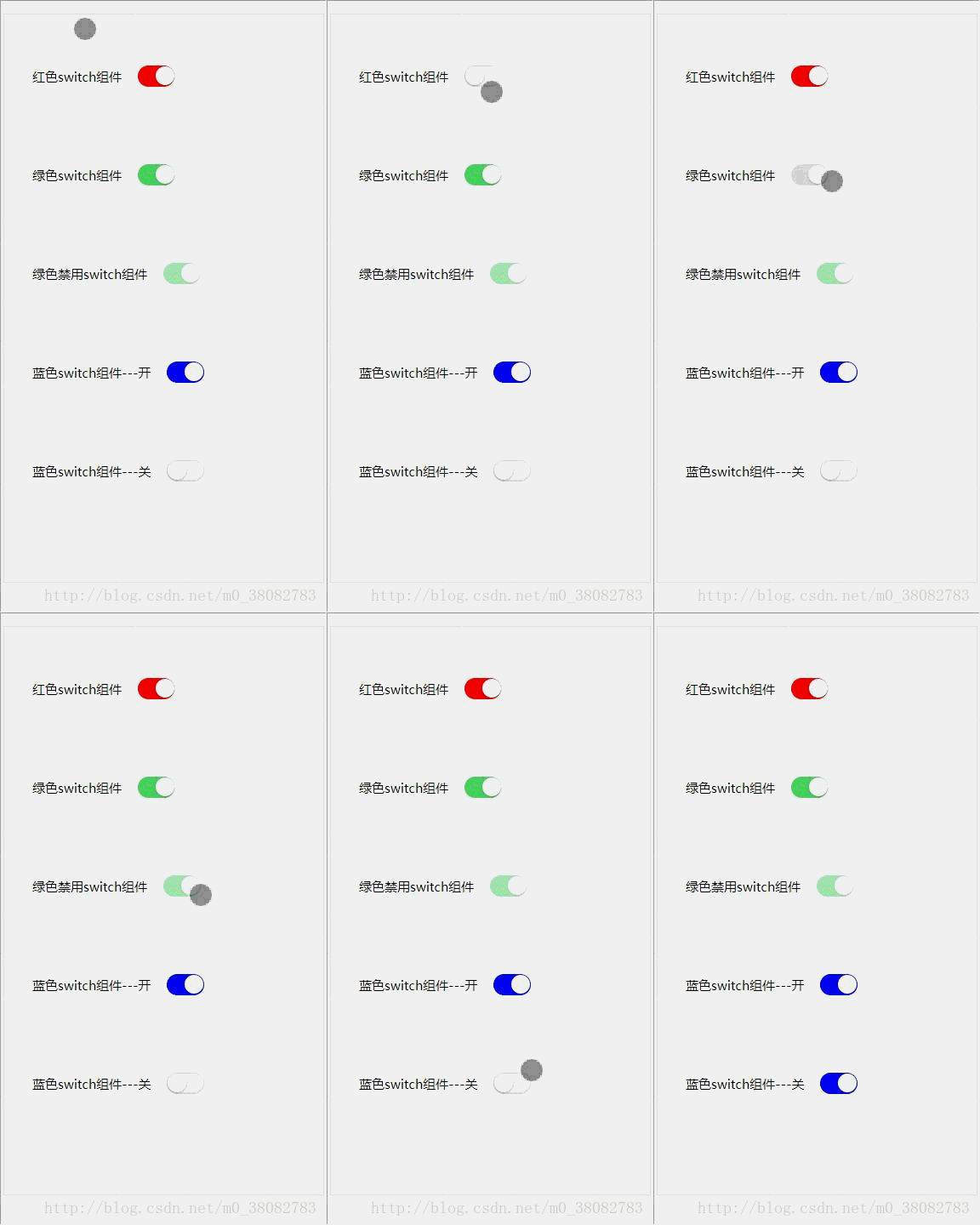
HTML
 红色switch组件


 绿色switch组件


 绿色禁用switch组件


 蓝色switch组件---开


 蓝色switch组件---关
CSS
.switch-list{
 padding: .5rem;
}
.fui-switch{
 position: relative;
 width: .87rem;
 height: .5rem;
 z-index: 10;
 display: inline-block;
 outline: medium;
 border: 1px solid #dfdfdf;
 border-radius: .25rem;
 background-color: #dfdfdf;
 -webkit-appearance: none;
 -moz-appearance: none;
 vertical-align: middle;
}
.fui-switch:checked{
 border-color: currentColor;
 background-color: currentColor;
}
.fui-switch::after,.fui-switch::before{
 content: "";
 position: absolute;
 height: .44rem;
 top: 0;
 left: 0;
 border-radius: .25rem;
 -webkit-transition: -webkit-transform .3s;
 transition: -webkit-transform .3s;
 transition: transform .3s;
 transition: transform .3s,-webkit-transform .3s;
}
.fui-switch:before {
 width: .84rem;
 background-color: #fdfdfd;
}
.fui-switch:checked:before {
 -webkit-transform: scale(0);
 transform: scale(0);
}
.fui-switch:after {
 width: .44rem;
 background-color: #fff;
 box-shadow: 0 1px 3px rgba(0,0,0,.4);
}
.fui-switch:checked:after {
 -webkit-transform: translateX(.4rem);
 transform: translateX(.4rem);
}
.fui-switch[disabled] {
 opacity: .5;
}
.fui-fr{font-size: .3rem;vertical-align: middle;}
实现rem的JS
(function(win,factory){
 factory(win);
 window.addEventListener('resize',function(){factory(win)},false);
}(window,function(win){
 var width = document.documentElement.clientWidth;
 width = width > 750 ? 750 : width;
 document.documentElement.style.fontSize = width / 7.5 + 'px';
}));
注意
此处 1rem 在 750 的 psd 设计图代表 100px ;
switch 的切换动画是通过 CSS3 的 transition 属性实现;
主要是控制 switch 的 after 的移动,以及 before 的放大缩小动画。

WeWedding婚纱影楼小程序
下载
婚纱影楼小程序提供了一个连接用户与影楼的平台,相当于影楼在微信的官网。它能帮助影楼展示拍摄实力,记录访客数据,宣传优惠活动。使用频率高,方便传播,是影楼在微信端宣传营销的得力助手。功能特点:样片页是影楼展示优秀摄影样片提供给用户欣赏并且吸引客户的。套系页是影楼根据市场需求推出的不同套餐,用户可以按照自己的喜好预定套系。个人中心可以查看用户预约的拍摄计划,也可以获取到影楼的联系方式。
上面是我整理给大家的,希望今后会对大家有帮助。
相关文章:





