



本篇文章主要介绍php点击可刷新验证码,感兴趣的朋友参考下,希望对大家有所帮助。
验证码类文件 CreateImg.class.php
width=$width;
  $this->height=$height;
  $this->codenum=$codenum;
}
function outImg()
{
  //输出头
  $this->outFileHeader();
  //产生验证码
  $this->createCode();

  //产生图片
  $this->createImage();
  //设置干扰像素
  $this->setDisturbColor();
  //往图片上写验证码
  $this->writeCheckCodeToImage();
  imagepng($this->checkimage);
  imagedestroy($this->checkimage);
}

private function outFileHeader()
{
  header ("Content-type: image/png");
}

private function createCode()
{
  $this->checkcode = strtoupper(substr(md5(rand()),0,$this->codenum));
}

private function createImage()
{
  $this->checkimage = @imagecreate($this->width,$this->height);
  $back = imagecolorallocate($this->checkimage,255,255,255);
  $border = imagecolorallocate($this->checkimage,0,0,0);
  imagefilledrectangle($this->checkimage,0,0,$this->width - 1,$this->height - 1,$back); // 白色底
  imagerectangle($this->checkimage,0,0,$this->width - 1,$this->height - 1,$border);  // 黑色边框
}

private function setDisturbColor()
{
  for ($i=0;$i<=200;$i++)
  {
  $this->disturbColor = imagecolorallocate($this->checkimage, rand(0,255), rand(0,255), rand(0,255));
  imagesetpixel($this->checkimage,rand(2,128),rand(2,38),$this->disturbColor);
  }
}

private function writeCheckCodeToImage()
{
  for ($i=0;$i<=$this->codenum;$i++)
  {
  $bg_color = imagecolorallocate ($this->checkimage, rand(0,255), rand(0,128), rand(0,255));
  $x = floor($this->width/$this->codenum)*$i;
  $y = rand(0,$this->height-15);
  imagechar ($this->checkimage, rand(5,8), $x, $y, $this->checkcode[$i], $bg_color);
  }
}
function __destruct()
{
  unset($this->width,$this->height,$this->codenum);
}
}
?>
包含文件 imgcode.php
outImg();
$_SESSION['validationcode'] = $image->checkcode; //存贮验证码到 $_SESSION 中
?>
前台文件 demo.php
?php
session_start();
$test = $_POST['test'];
$test = strtoupper(trim($test));
$submit = $_POST['submit'];
if(isset($submit)){
if($test==$_SESSION['validationcode']){
echo 'true';
} else {
echo 'false';
}
}
?>
Image

总结:以上就是本篇文的全部内容,希望能对大家的学习有所帮助。
立即学习“PHP免费学习笔记(深入)”;
js-实现原生表单提交验证
下载
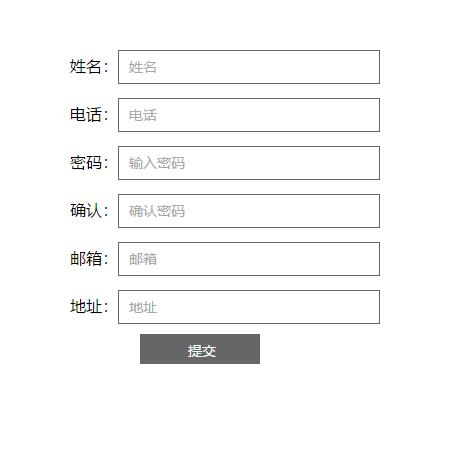
原生js表单提交验证代码下载。原生JavaScript实现,适合新手学习js。用户填写完成后,点击提交按钮,判断填写的信息是否符合要求,如不符合将弹出相应的修改信息要求,引导用户正确填写表单。
相关推荐:




