



这次给大家带来html5+canvas动态实现饼状图步骤详解,html5+canvas动态实现饼状图的注意事项有哪些,下面就是实战案例,一起来看一下。
先来看效果图
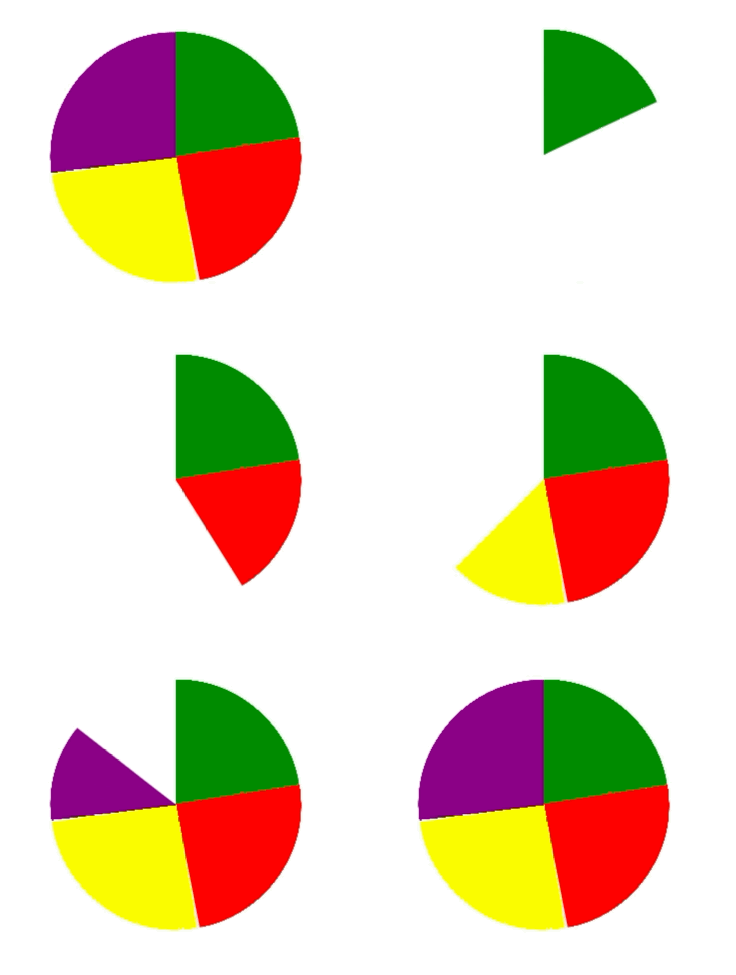
这里并没引用jquery等第三方库,只是用dom操作和canvas的特性编写的。
canvas画圆大体分为实心圆和空心圆。
根据需求分析知道该圆为实心圆。
1.先用canvas画实心圆
//伪代码
var canvas = document.createElement("canvas");
var ctx = canvas.getContext('2d');
ctx.beginPath();
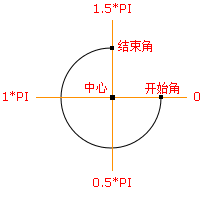
ctx.arc(圆心x轴坐标,圆心y轴坐标,半径,开始角,结束角);
ctx.fillStyle = 'green';
ctx.closePath();
ctx.fill();
2.根据不同颜色绘制饼状图
//伪代码
var canvas = document.createElement("canvas");
var ctx = canvas.getContext('2d');
ctx.beginPath();
ctx.arc(圆心x轴坐标,圆心y轴坐标,半径,绿色开始角,绿色结束角);
ctx.fillStyle = 'green';
ctx.closePath();
ctx.fill();
ctx.beginPath();
ctx.arc(圆心x轴坐标,圆心y轴坐标,半径,红色开始角,红色结束角);
ctx.fillStyle = 'red';
ctx.closePath();
ctx.fill();
ctx.beginPath();
ctx.arc(圆心x轴坐标,圆心y轴坐标,半径,黄色开始角,黄色结束角);
ctx.fillStyle = 'yellow';
ctx.closePath();
ctx.fill();
ctx.beginPath();
ctx.arc(圆心x轴坐标,圆心y轴坐标,半径,紫色开始角,紫色结束角);
ctx.fillStyle = 'purple';
ctx.closePath();
ctx.fill();
3.动态绘制饼状图
动态绘制圆网上普遍推荐三种方法:requestAnimationFrame、setInterval(定时)、还有动态算角度的。
这里我用的是第一种requestAnimationFrame方式。
在编写的过程中发现一个问题,就是动态画圆时并不是以圆心的坐标画的。为了解决这一问题,需要在每次画圆时重新将canvas的画笔的坐标定义为最初圆心的坐标。
相信看了本文案例你已经掌握了方法,更多精彩请关注php中文网其它相关文章!
推荐阅读:




