
这次给大家带来利用table实现布局的技巧,利用table实现布局的注意事项有哪些,下面就是实战案例,一起来看一下。
本文介绍了CSS 利用table实现五种常用布局的方法示例,分享给大家,具体如下:
布局一:
效果:
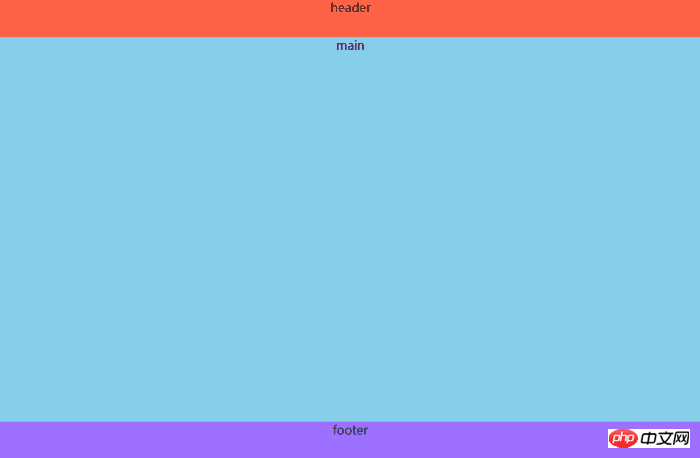
代码:
html:
<p class="header">header</p>
<p class="main">main</p>
<p class="footer">footer</p>
注意:p中要有内容,不然显示不出来
css:
body{
  margin:0;
  padding:0;
  width:100%;
  min-height:100vh;
  display:table;
  text-align:center;
}
.header,.main,.footer{
  display:table-row;
}
.header{
  height:50px;
  background:tomato;
}
.main{
  background:skyblue;
}
.footer{
  height:50px;
  background:#9d70ff;
}布局二:
效果:

代码:
html:
<p class="header">header</p>
<p class="main">
  <p class="left">left</p>
  <p class="right">right</p>
</p>
<p class="footer">footer</p>
css:
body{
  margin:0;
  padding:0;
  width:100%;
  min-height:100vh;
  display:table;
  text-align:center;
}
.header,.main,.footer{
  display:table-row;
}
.header{
  height:50px;
  background:tomato;
}
.main{
  width:100%;
  display:table;
  height:calc(100vh - 100px);
}
.main .left{
  width:300px;
  display:table-cell;
  background:#fcea96;
}
.main .right{
  display:table-cell;
  background:skyblue;
}
.footer{
  height:50px;
  background:#9d70ff;
}注意:.main的height属性中的100px是header和footer的高度之和
布局三:
效果:
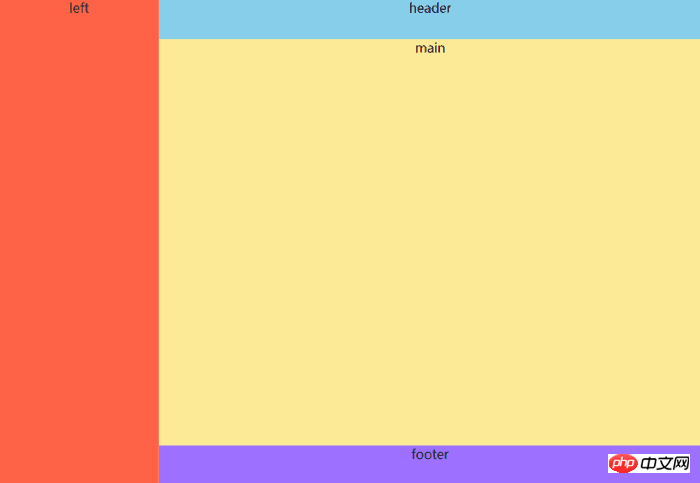
代码:
html:
<p class="left">left</p>
<p class="right">
  <p class="header">header</p>
  <p class="main">main</p>
  <p class="footer">footer</p>
</p>
css:
body{
  margin:0;
  padding:0;
  min-height:100vh;
  display:table;
  text-align:center;
}
.left{
  display:table-cell;
  width:200px;
  background:tomato;
}
.right{
  display:table;
  width:calc(100vw - 200px);
  height:100vh;
}
.header,.main,.footer{
  display:table-row;
}
.header{
  height:50px;
  background:skyblue;
}
.main{
  background:#fcea96;
}
.footer{
  height:50px;
  background:#9d70ff;
}布局四(双栏布局,例子为左边固定,右边自适应):
效果:
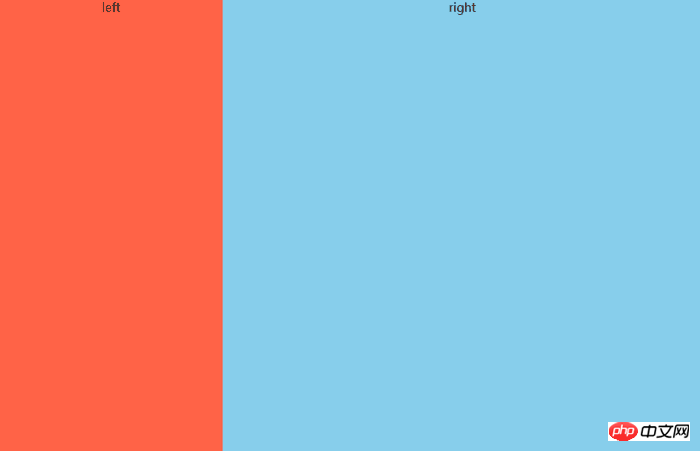
代码:
html:
<p class="left">left</p>
<p class="right">right</p>
css:
body{
  margin:0;
  padding:0;
  width:100%;
  height:100vh;
  display:table;
  text-align:center;
}
.left,.right{
  display:table-cell;
}
.left{
  width:300px;
  background:tomato;
}
.right{
  background:skyblue;
}布局五(三栏布局,例子为左边固定,右边固定,中间自适应):
效果:

代码:
html:
<p class="left">left</p>
<p class="middle">middle</p>
<p class="right">right</p>
css:
body{
  margin:0;
  padding:0;
  width:100%;
  height:100vh;
  display:table;
  text-align:center;
}
.left,.middle,.right{
  display:table-cell;
}
.left{
  width:300px;
  background:tomato;
}
.middle{
  background:#ffe69e;
}
.right{
  width:200px;
  background:skyblue;
}相信看了本文案例你已经掌握了方法,更多精彩请关注php中文网其它相关文章!
推荐阅读:

PHP-B2B(原友邻b2b)是一套能够帮助用户,快速建立高效、多功能电子商务网站的php应用程序,本程序采用目前互联网上最流行的LAMP组合(Linux+Apache+Mysql+PHP)开发完成,同时利用Smarty模板技术实现了网站前台与后台的有效分离,用户可以快速地在此基础上开发自己的模板。 友邻php提供了电子商务应用最常见求购、供应、商品、公司库等模块,同时为企业用户提供了一个发布信
 0
0

以上就是利用table实现布局的技巧的详细内容,更多请关注php中文网其它相关文章!

每个人都需要一台速度更快、更稳定的 PC。随着时间的推移,垃圾文件、旧注册表数据和不必要的后台进程会占用资源并降低性能。幸运的是,许多工具可以让 Windows 保持平稳运行。

 C++高性能并发应用_C++如何开发性能关键应用
 Java AI集成Deep Java Library_Java怎么集成AI模型部署
 Golang后端API开发_Golang如何高效开发后端和API
 Python异步并发改进_Python异步编程有哪些新改进
 C++系统编程内存管理_C++系统编程怎么与Rust竞争内存安全
 Java GraalVM原生镜像构建_Java怎么用GraalVM构建高效原生镜像
 Python FastAPI异步API开发_Python怎么用FastAPI构建异步API
 C++现代C++20/23/26特性_现代C++有哪些新标准特性如modules和coroutines
Copyright 2014-2025 https://www.php.cn/ All Rights Reserved | php.cn | 湘ICP备2023035733号


 165
165

 收藏
收藏















