



我们知道,选项卡是现代web网页中最常用的效果之一,这次给大家带来angularjs如何实现mvvm式选项卡?案列+代码,下面就是实战案例,一起来看一下。
本文重点是用angularjs这个非常火mvvm框架,实现选项卡效果。在此之前,先搬出我们常用的jquery实现。
1、jquery实现简单粗暴的选项卡效果
var nav = $(".tabs");//tab切换var box = $(".box");//容器nav.on("click", function(){ //点击事件
  var this_index=$(this).index();
  $(this).addClass("active").siblings().removeClass("active");
  box.eq(this_index).show().siblings().hide();
});
在这里只给出js核心部分,html和css不做赘述。
以上代码,简单粗暴的实现了选项卡效果,用点击事件获得elem.index(), 把索引和容器串起来控制显示隐藏。
2、angularjs实现一个简单选项卡效果
Html部分

css 部分(这里为了方便我们使用Less语法,童鞋们可以自定义css实现个性效果)
* {  margin: 0;  padding: 0;
}body {  background: #e7ecea;  font-weight: 600;  font-family: 'Raleway', Arial, sans-serif;  text-align: center;
}a {    color: #2CC185;    text-decoration: none;    outline: none;

    &:hover {    color: #74777b;
    }
}.tabs {  position: relative;  width: 100%;  margin: 30px auto 0 auto;
  nav {
    ul {      position: relative;      display: flex;      max-width: 1200px;      margin: 0 auto;      list-style: none;      flex-flow: row wrap;      justify-content: center;

        li {          flex: 1;

          &.current a {            color: #74777b;
          }
        }
      }
    }
    a {      display: block;      position: relative;      overflow : hidden;      line-height: 2.5;

      span {        vertical-align: middle;        font-size: 1.5em;
      }
    }
}.content {  position: relative;

  section {    /* display: none; */
    margin: 0 auto;    max-width: 1200px;
    &.content-current {      /* display: block; */
    }
    p {      color: rgba(40,44,42, 0.4);      margin: 0;      padding: 1.75em 0;      font-weight: 900;      font-size: 5em;      line-height: 1;
    }
  }
}.tabs-style {
  nav {    /* background: rgba(255,255,255,0.4); */

    ul li {
      a {        overflow: visible;
        border-bottom: 1px solid rgba(0,0,0,0.2);        -webkit-transition: color 0.2s;        transition: color 0.2s;
      }
    }
    ul li.current a{
      &:after, &:before {        content: '';        position: absolute;        top: 100%;        left: 50%;        width: 0;        height: 0;        border: solid transparent;
        }
      &:after {        margin-left: -10px;        border-width: 10px;        border-top-color: #e7ecea;
      }
      &:before {        margin-left: -11px;        border-width: 11px;        border-top-color: rgba(0,0,0,0.2);
      }
    }
  }
}
js部分
angular.module('myApp', [])
  .controller('TabController', function() {    this.current = 1;
  this.setCurrent = function (tab) {    this.current = tab;
  };
  this.isSet = function(tab) {    return this.current == tab;
  };
});
最后效果如下图所示:
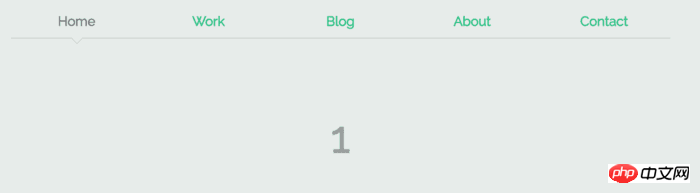
通过以上代码,我们可以发现实现的核心是angularjs内置的ng-class和ng-click,ng-show指令。通俗来讲:controller里定义了current 这条数据默认值为1,ng-click给点击事件自定义函数,改变current数据,ng-class通过获得current的值绑定条件,给当前选中的索引添加current样式,容器同样获得controller里的current数据通过ng-show控制显示隐藏。
相信看了本文案例你已经掌握了方法,更多精彩请关注php中文网其它相关文章!
相关阅读:




