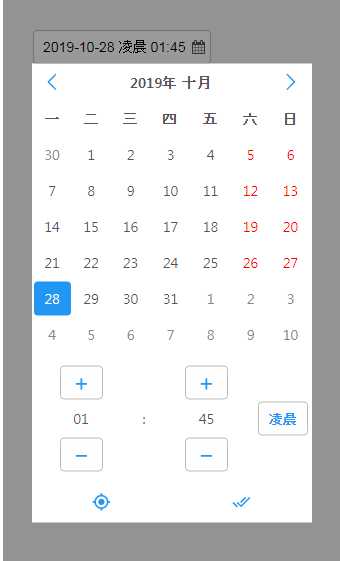
本文主要为大家详细介绍了bootstrap时间插件daterangepicker使用,具有一定的参考价值,感兴趣的小伙伴们可以参考一下,希望能帮助到大家。
插件下载地址:https://github.com/dangrossman/bootstrap-daterangepicker
头部引入文件:
相关配置:
$('#startDate').daterangepicker({  //绑定input元素 id="startDate"
     "startDate": "08/07/2015 - 08/17/2015", //默认选择开始时间
     "endDate": "08/17/2015", //默认选择结束时间
     //singleDatePicker: true, //显示单个日历表
     //"timePicker": true, //开启时、分
     //"showWeekNumbers": true, //显示第几周
     //"timePicker24Hour": true, //开启24小时制
     startDate: moment().subtract(10, 'days'), //两个时间相隔时间
     "showDropdowns": true, //开启年月的选择
     ranges : { //快捷选择时间
      '最近1小时': [moment().subtract('hours',1), moment()],
      '今日': [moment(), moment()],
      '昨日': [moment().subtract('days', 1).startOf('day'), moment().subtract('days', 1).endOf('day')],
      '最近7日': [moment().subtract('days', 6), moment()],
      '最近30日': [moment().subtract('days', 29), moment()]
     },
     locale : { //中文汉化
      applyLabel : '确定',
      cancelLabel : '取消',
      fromLabel : '起始时间',
      toLabel : '结束时间',
      customRangeLabel : '自定义',
      daysOfWeek : ['日','一','二','三','四','五','六'],
      monthNames : [ '一月', '二月', '三月', '四月', '五月', '六月','七月', '八月', '九月', '十月', '十一月', '十二月' ],
      firstDay : 1
     },
     // "opens": "left", //日历表的位置
     // "drops": "up", //日历表的位置
     // "buttonClasses": "button", //日历表"确定"按钮类名
     // "applyClass": "hover", //日历表"确定"按钮类名
     // "cancelClass": "cancel" //日历表"取消"按钮类名
  });
相关推荐: