



这篇文章主要介绍了bootstrap modal+gridview实现弹出框效果,gridview点击更新弹出填写信息表单,具有一定的参考价值,感兴趣的小伙伴们可以参考一下
项目需要在gridview的表单信息中点击更新,弹出表单进行操作,不需要跳转。
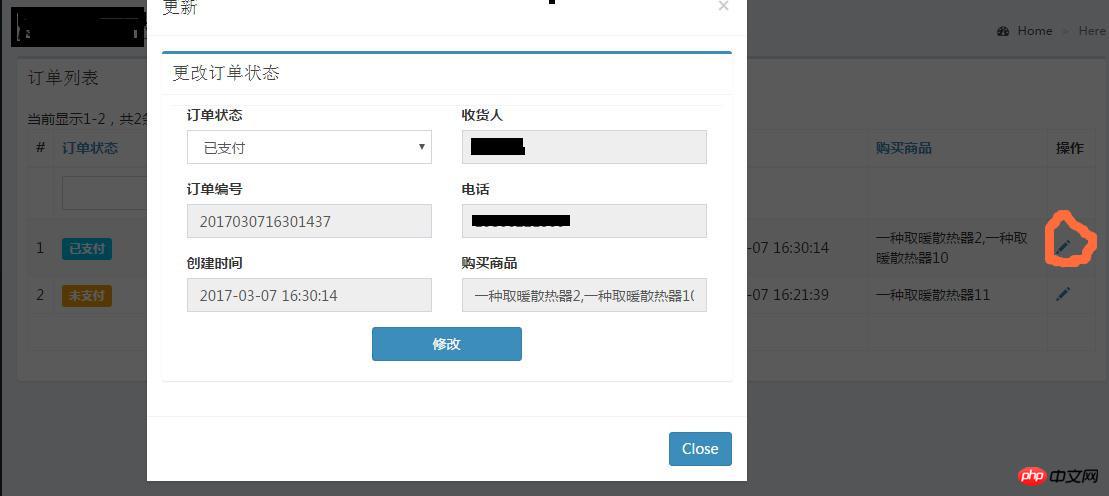
1.在girdview中加入更新操作按钮用来调用modal弹窗
'buttons' => [
  'update' => function ($url, $model, $key) {
       return Html::a('', '#', [
          'data-toggle' => 'modal',
          'data-target' => '#update-modal',
          'class' => 'data-update',
          'data-id' => $key,
          'title'=>'更改状态',
          ]);
        },
      ],
2.gridview的头部创建modal弹窗样式

'update-modal', 'header' => '更改状态
', 'footer' => 'Close', ]); Modal::end(); ?>
3.gridview中ajax
registerJs($updateJs);
?>
4.控制器update方法
 public function actionUpdate($id)
{
  $model = Order_packet::findOne($id);
  $model->setScenario('update');//指定场景,防止时间等变量同时被更改
  if ($model->load(Yii::$app->request->post()) && $model->save()) {
    return $this->redirect(['index']);
  } else {
    return $this->renderAjax('update', [  //这里需要渲染update模版,要在view中写update
      'model' => $model,
    ]);
  }
} 




