现在基于 js 和 web浏览器核心构建的 c/s 程序越来越多,比如微信桌面版(基于 duilib 和 cef)、vs code(基于electron)等,出于了解的目的,最近学习了 electron。electron具体是什么,可以做什么,这里不做过多的介绍,网上很多相关的介绍,这里主要介绍在vs2017下怎么进行 electron 应用程序的开发。
一、环境搭建
安装 node.js 及 npm。
安装 vs2017 ,必须安装 node.js web开发包。
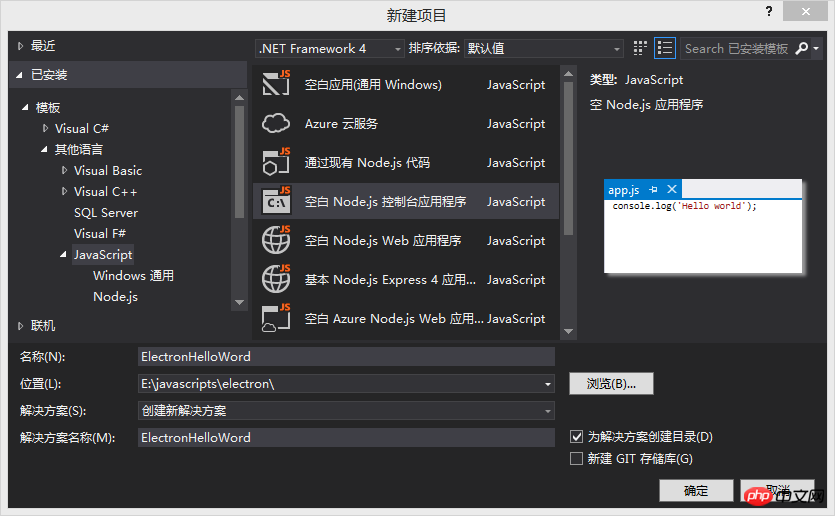
二、创建空白 Node.js 控制台应用程序项目
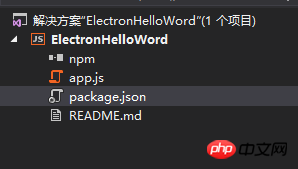
创建好的项目结构入下:
三、编写 electron Hello Word
参照 :
1、打开 package.json 加入:
"dependencies": {"electron": "^1.6.6"}最后内容如下:
{"name": "electron-hello-word","version": "0.0.0","description": "ElectronHelloWord","main": "app.js?1.1.11","author": {"name": "Starts_2000"},"dependencies": {"electron": "^1.6.6"}
}
2、打开 app.js,输入以下内容:
'use strict';

const { app, BrowserWindow } = require('electron')
const path = require('path')
const url = require('url')// Keep a global reference of the window object, if you don't, the window will// be closed automatically when the JavaScript object is garbage collected.let winfunction createWindow() {// Create the browser window.win = new BrowserWindow({ width: 800, height: 600 })// and load the index.html of the app.    win.loadURL(url.format({
        pathname: path.join(__dirname, 'index.html'),
        protocol: 'file:',
        slashes: true}))// Open the DevTools.    win.webContents.openDevTools()// Emitted when the window is closed.win.on('closed', () => {// Dereference the window object, usually you would store windows// in an array if your app supports multi windows, this is the time// when you should delete the corresponding element.win = null})
}// This method will be called when Electron has finished// initialization and is ready to create browser windows.// Some APIs can only be used after this event occurs.app.on('ready', createWindow)// Quit when all windows are closed.app.on('window-all-closed', () => {// On macOS it is common for applications and their menu bar// to stay active until the user quits explicitly with Cmd + Qif (process.platform !== 'darwin') {
        app.quit()
    }
})

app.on('activate', () => {// On macOS it's common to re-create a window in the app when the// dock icon is clicked and there are no other windows open.if (win === null) {
        createWindow()
    }
})// In this file you can include the rest of your app's specific main process// code. You can also put them in separate files and require them here.
3、新建 index.html 文件

绿色大气办公家具类企业织梦模板1.0
下载
绿色大气办公家具类企业织梦模板是以织梦最新内核来进行开发的模板,该模板属于家具行业,装修企业,家装类,属于企业通用,装修设计、家具生产等企业均可以使用该模板,页面简洁简单,容易管理,DEDE5.5内核以上都可以使用;附带测试数据!模板特点:简洁美观大方小清新的设计风格,图片展示效果绝佳。页面结构简单,利于SEO的优化,模板后台易于管理。使用程序:织梦DEDECMS5.5以上版本都可以使用。温馨提示
Hello World! Hello World!
We are using node, Chrome, and Electron.
四、设置和运行
1、NPM 安装 electron 包
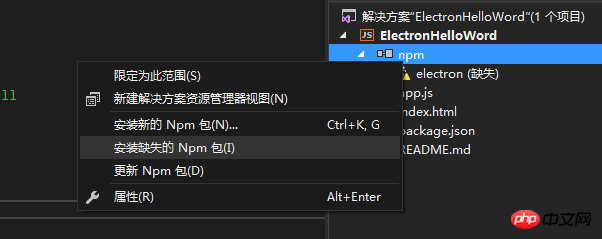
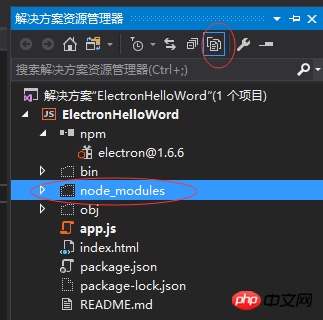
安装成功后可看到,点击解决方案上方的显示所有文件,可以看到
2、设置项目 Node.exe路径为:
.\node_modules\electron\dist\electron.exe
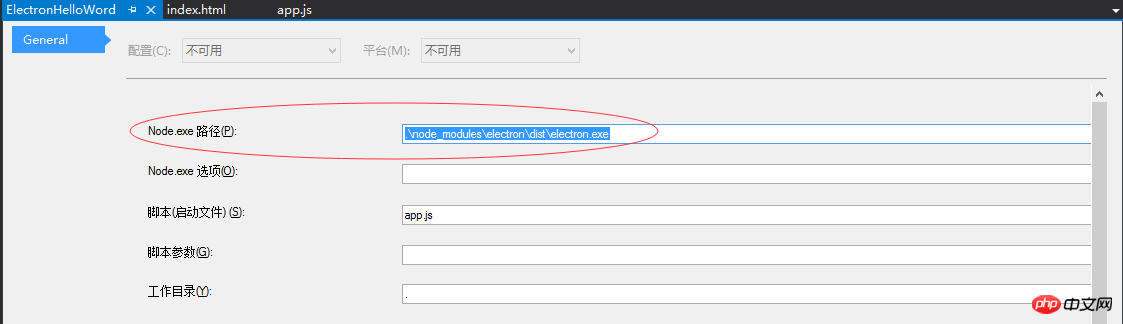
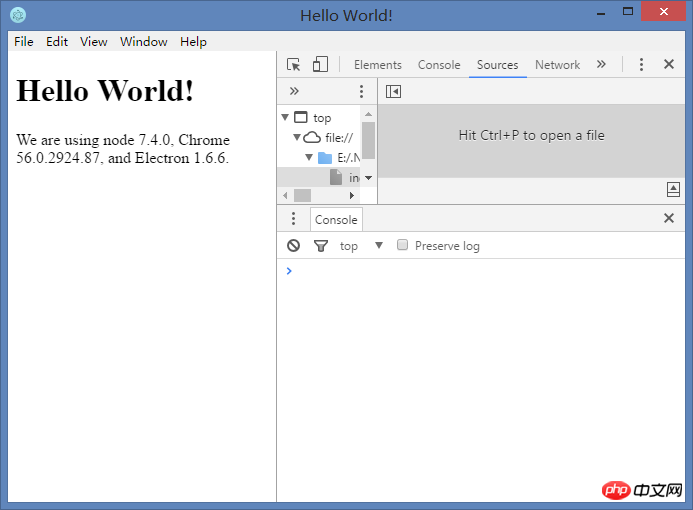
运行解决方案,就可以看到electron 的 Hello Word示例了: