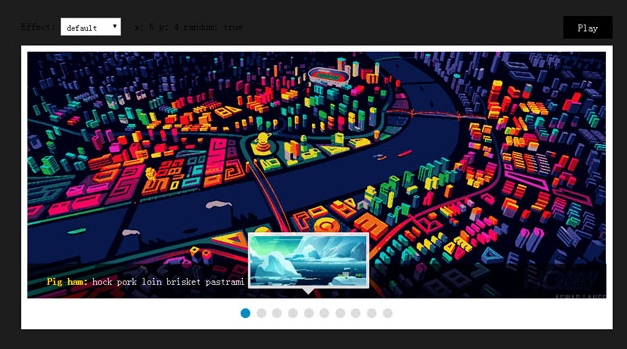
这次分享的代码是jquery插件,hovertreeimg是一个图片轮播jquery插件,使用方便,可以设置大小,圆点位置等,代码简洁
jquery.img.js
/*!
* HovertreeImg(jQuery Plugin)
* version: 1.0.0
* Copyright (c) 2016 HoverTree
*/
(function ($) {
  $.fn.hovertreeimg = function (options) {

    var settings = $.extend({
      h_time:"3000",//切换时间
      h_borderColor: "transparent",//边框颜色
      h_width: "500",//宽度
      h_height: "200",//高度
      h_circleWidth: "18",//方框边长
      h_circleColor:"silver",//圆点颜色
      h_currentCircleColor: "red",//当前圆点颜色
      h_circlePosition:"right"//圆点位置
    }, options);

    var h_hovertreeimg = $(this);
    if (h_hovertreeimg.length < 1)
      return;

    h_hovertreeimg.css({
      "position": "relative", "border":"solid 1px "+ settings.h_borderColor
      , "width": settings.h_width, "height": settings.h_height
      , "overflow": "hidden"
    })

    var h_hovertreeimgcontent = h_hovertreeimg.find(">div#hovertreeimgcontent");
    h_hovertreeimgcontent.hide();

    var h_hovertreeimgcurrent = h_hovertreeimg.find(">a");
    h_hovertreeimgcurrent.wrap("");
    h_replaceFrame = h_hovertreeimg.find("#replaceframe").css({ "width": "100%", "height": "100%" });

    //构造圆点框
    $('').appendTo(h_hovertreeimg);
    var h_hovertreeimgpoint = h_hovertreeimg.find(".hovertreeimgpoint");

    h_hovertreeimgcontent.prepend(h_hovertreeimgcurrent.clone(true));//复制到总a集合
    var h_hovertreeimgitems = h_hovertreeimgcontent.children();//所有a标签集合
    var h_hovertreeimglength = h_hovertreeimgitems.length;//所有轮播项数量
    var h_isswitch = true;//是否轮播


    var h_circleWidth = parseInt(settings.h_circleWidth);

    //加边框与间隔
    var h_circleFrameWidth = (h_circleWidth + 4) * h_hovertreeimglength+2;


    h_hovertreeimgpoint.css({
      "height": (h_circleWidth + 4), "position": "absolute", "bottom": "0px",
      "display": "inline-block"
    })
    //设置圆点位置
    switch (settings.h_circlePosition) {
      case 'right':
        h_hovertreeimgpoint.css({
          "right": "0px"
        })
        break;
      case 'left':
        h_hovertreeimgpoint.css({
          "left": "0px"
        })
        break;
      default:
        h_hovertreeimgpoint.css({
          "left": "0px",
          "right": "0px",
          "width": h_circleFrameWidth + "px",
          "margin": "0px auto"
        })
        break;
    }

    //切换索引
    var h_hovertreeimgindex = 1;
    if (h_hovertreeimglength < 2)
      h_hovertreeimgindex = 0;

    //构造圆点
    for (var h_i = 0; h_i < h_hovertreeimglength; h_i++) {
      h_hovertreeimgpoint.append("");
    }
    h_pointset = h_hovertreeimgpoint.find("div");//圆点集合
    h_pointset.css({
      "background-color": settings.h_circleColor, "width": settings.h_circleWidth
      , "height": settings.h_circleWidth
    , "border": "1px solid white"
      , "margin-left": "2px",
      "display": "inline-block",
      "border-radius": "50%"
    })
    h_pointset.eq(0).css({ "background-color": settings.h_currentCircleColor });


    //设置当前图片
    function imgswitch(imgindex) {
      h_replaceFrame.html(h_hovertreeimgitems.eq(imgindex));
      h_pointset.css({ "background-color": settings.h_circleColor });
      h_pointset.eq(imgindex).css({ "background-color": settings.h_currentCircleColor });
    }

    h_replaceFrame.find("img").css({
      "width": settings.h_width
      , "height": settings.h_height
    })

    //圆点操作
    h_pointset.hover(function () {
      h_isswitch = false;//光标悬停到圆点停止切换
      imgswitch($(this).attr('hovertreeimgdata'));
    }
    , function () {
      h_isswitch = true;
    }
    )

    //切换
    setInterval(function () {
      if (!h_isswitch)
        return;
      imgswitch(h_hovertreeimgindex);
      h_hovertreeimgindex = (h_hovertreeimgindex + 1) % h_hovertreeimglength;
    }, settings.h_time)

    //光标悬停到图片停止切换
    h_replaceFrame.hover(function () { h_isswitch = false; }, function () { h_isswitch = true; })

  }
}(jQuery));