



Use phpqrcode via Composer to generate QR codes in PHP. 2. Customize size, margin, and error correction levels for better readability. 3. Overlay logos using GD/Imagick without covering more than 20% of the center. 4. Embed QR codes directly in HTML using base64-encoded data. 5. Secure sensitive data with input sanitization, URL encoding, HTTPS, and AES-256 encryption.

If you want to generate QR codes using PHP, several libraries and techniques can help. Here's how to create and use QR codes effectively:
The operating environment of this tutorial: MacBook Pro, macOS Sonoma
1. Use the phpqrcode Library
phpqrcode is a widely used open-source library that allows PHP applications to generate QR codes without relying on external APIs. It runs entirely on the server side and supports various output formats such as PNG, SVG, and text-based representations.
- Download the phpqrcode library from its official repository or via Composer by running: composer require chillerlan/php-qrcode
- Include the autoload file in your script: require_once 'vendor/autoload.php';
- Create a new instance of QRCode and pass the data string to be encoded
- Call the render() or output() method to display or save the QR code image
2. Generate QR Code with Custom Size and Error Correction
You can adjust the size, margin, and error correction level of the generated QR code for better readability and design integration. Higher error correction allows the code to remain scannable even if partially damaged.
立即学习“PHP免费学习笔记(深入)”;
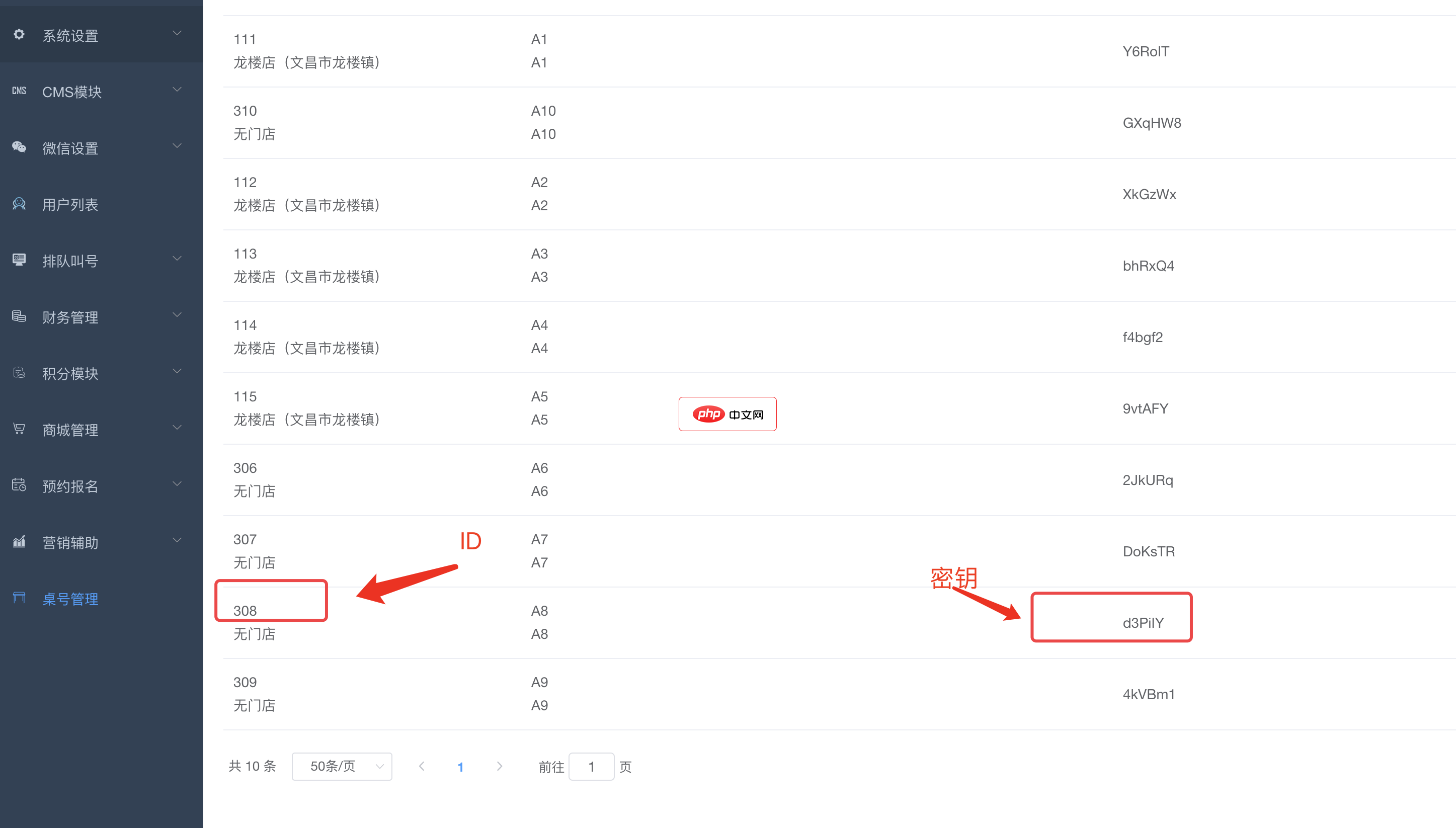
bee餐饮点餐外卖小程序是针对餐饮行业推出的一套完整的餐饮解决方案,实现了用户在线点餐下单、外卖、叫号排队、支付、配送等功能,完美的使餐饮行业更高效便捷!功能演示:1、桌号管理登录后台,左侧菜单 “桌号管理”,添加并管理你的桌号信息,添加以后在列表你将可以看到 ID 和 密钥,这两个数据用来生成桌子的二维码2、生成桌子二维码例如上面的ID为 308,密钥为 d3PiIY,那么现在去左侧菜单微信设置
- Set the desired ECC level using constants like QR_ECLEVEL_L, QR_ECLEVEL_M, QR_ECLEVEL_Q, or QR_ECLEVEL_H
- Define the pixel size per module (e.g., 10 pixels per dot) and margin around the code
- Pass these parameters when calling the output function to customize appearance
- Save the output to a file path or stream it directly to the browser with proper headers
3. Embed Logo or Customize Appearance
To make your QR code visually appealing, you can overlay a logo or change colors while maintaining scannability. This requires post-processing the image using GD or Imagick after generating the base QR code.
- Generate the base QR code and save it as an image resource
- Load a small logo image (preferably transparent PNG) and resize it to fit the center
- Use imagecopy() or similar GD functions to merge the logo onto the QR code
- Ensure the logo does not cover more than 20% of the center area to preserve scan reliability
4. Output QR Code Directly in HTML Page
Instead of saving files, you can dynamically serve QR codes within web pages using base64-encoded image data embedded in the src attribute of an img tag.
- Start output buffering and generate the QR code as a PNG
- Convert the image content to base64 using base64_encode()
- Embed it in an HTML img tag like:

- This method avoids file storage and enables real-time generation per request
5. Secure Data in QR Codes
When encoding sensitive information such as login tokens or personal details, always sanitize input and consider encryption before placing data into the QR payload.
- Apply URL encoding to special characters to prevent parsing errors
- Use HTTPS links instead of plain HTTP when redirecting through QR codes
- For confidential content, encrypt the message with AES-256 and include a secure key exchange mechanism
- Avoid storing raw passwords, API keys, or private identifiers in plain text format inside the QR




