




Angular 路由错误 NG04002 noMatchError 解决方案
摘要:本文旨在解决 Angular 应用中常见的路由错误 NG04002 noMatchError。该错误通常表明路由配置与实际导航路径不匹配。通过分析路由配置、导航方式以及参数传递等关键因素,本文提供了一系列排查和解决策略,并结合代码示例,帮助开发者快速定位并修复该问题,确保应用路由的正确性和稳定性。
在 Angular 应用开发中,路由是至关重要的组成部分,它负责管理应用内的导航和页面跳转。NG04002 noMatchError 错误通常意味着 Angular 路由器无法找到与当前 URL 匹配的路由配置。以下将深入探讨该错误的原因以及相应的解决方案。
1. 检查路由配置
首先,仔细检查你的路由配置(通常位于 app-routing.module.ts 和 feature module 的 routing module 中)。确保路由的 path 属性与你尝试导航到的 URL 完全匹配。
- 路径拼写错误: 检查路径中是否存在拼写错误,包括字母大小写。
- 缺少斜杠: 确保路径以斜杠 / 开头,尤其是在使用 routerLink 时。如果省略斜杠,Angular 会将链接视为相对于当前路由的相对路径,这可能导致意想不到的结果。
- 子路由配置: 如果你在使用子路由,确保父路由和子路由的配置正确嵌套。
// 示例:app-routing.module.ts
export const AppRoutes: Routes = [
  {
    path: 'customer',
    loadChildren: () => import('./pages/customers/customers.module').then(m => m.CustomersModule)
  },
  // 其他路由...
];
// 示例:customers-routing.module.ts
import { Routes, RouterModule } from '@angular/router';
import { CustomerListComponent } from './customer-list/customer-list.component';
import { CustomerDetailComponent } from './customer-detail/customer-detail.component';
import { NgModule } from '@angular/core';
const routes: Routes = [
{
path: '',
component: CustomerListComponent,
children: [
{
path: 'detail/:id', // 注意这里,使用小写 :id
component: CustomerDetailComponent,
}
]
}
];
@NgModule({
imports: [RouterModule.forChild(routes)],
exports: [RouterModule]
})
export class CustomerRoutingModule { }2. 导航方式
Angular 提供了多种导航方式,包括 routerLink 指令和 Router 服务的 navigate 方法。
- routerLink: 在 HTML 模板中使用 routerLink 时,请确保路径正确且以斜杠 / 开头(如果需要绝对路径)。
- Router.navigate: 在 TypeScript 代码中使用 Router.navigate 时,需要传入一个包含路径片段的数组。
// 示例:使用 Router.navigate 进行导航
import { Router } from '@angular/router';
import { Component } from '@angular/core';
@Component({
selector: 'app-my-component',
template: ``
})
export class MyComponent {
constructor(private router: Router) {}
goToCustomerDetail(customerId: number) {
this.router.navigate(['/customer/detail', customerId]); // 使用绝对路径
}
}3. 参数传递
如果路由包含参数(例如 :id),请确保在导航时正确传递参数。
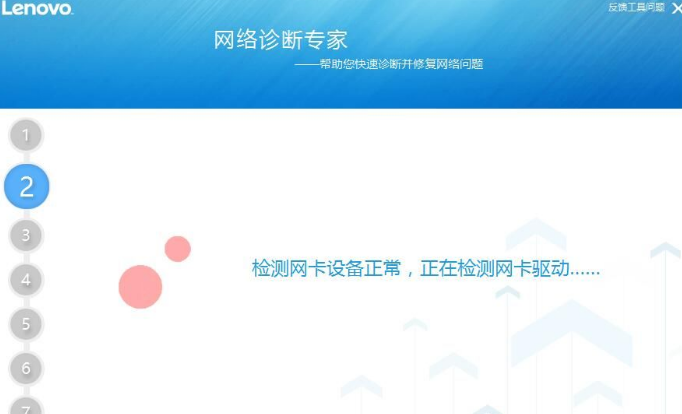
无线网络修复工具是一款联想出品的小工具,旨在诊断并修复计算机的无线网络问题。它全面检查硬件故障、驱动程序错误、无线开关设置、连接设置和路由器配置。 该工具支持 Windows XP、Win7 和 Win10 系统。请注意,在运行该工具之前,应拔出电脑的网线,以确保准确诊断和修复。 使用此工具,用户可以轻松找出并解决 WiFi 问题,无需手动排查故障。它提供了一键式解决方案,即使对于非技术用户也易于使用。
- 参数名称: 确保路由配置中定义的参数名称与导航时传递的参数名称一致。Angular 路由默认是大小写敏感的,建议使用小写字母定义参数名。
- 参数类型: 确保传递的参数类型与路由配置中期望的类型一致。
如果需要在 URL 中显示参数名,可以使用矩阵 URL 符号:
this.router.navigate(['/customer/detail', { id: customerId }]);4. 模块加载
如果路由涉及到懒加载模块,请确保模块已正确加载。检查 app-routing.module.ts 中 loadChildren 的配置是否正确,并且模块文件是否存在。
5. 调试技巧
- 浏览器开发者工具: 使用浏览器开发者工具的网络面板,查看导航请求是否发送到正确的 URL。
- Angular 路由器调试: 在 RouterModule.forRoot 中添加 enableTracing: true 选项,可以在控制台中查看路由器的详细日志。
@NgModule({
  imports: [
    RouterModule.forRoot(AppRoutes, {
      enableTracing: true // 开启路由调试
    })
  ],
  exports: [RouterModule]
})
export class AppRoutingModule {
}
总结
NG04002 noMatchError 是一个常见的 Angular 路由错误,通常是由于路由配置不正确或导航方式不当引起的。通过仔细检查路由配置、导航方式、参数传递和模块加载等方面,并结合调试技巧,可以快速定位并解决该问题。记住,确保路径拼写正确,使用正确的导航方式,并正确传递参数是避免该错误的关键。建议路由参数统一使用小写形式。




